Screenshots
The popup your shop needs, exactly when it needs it. Built, styled and scheduled from the back office, without a single line of code.
Contact Usby TEMA S.r.l. Automazione
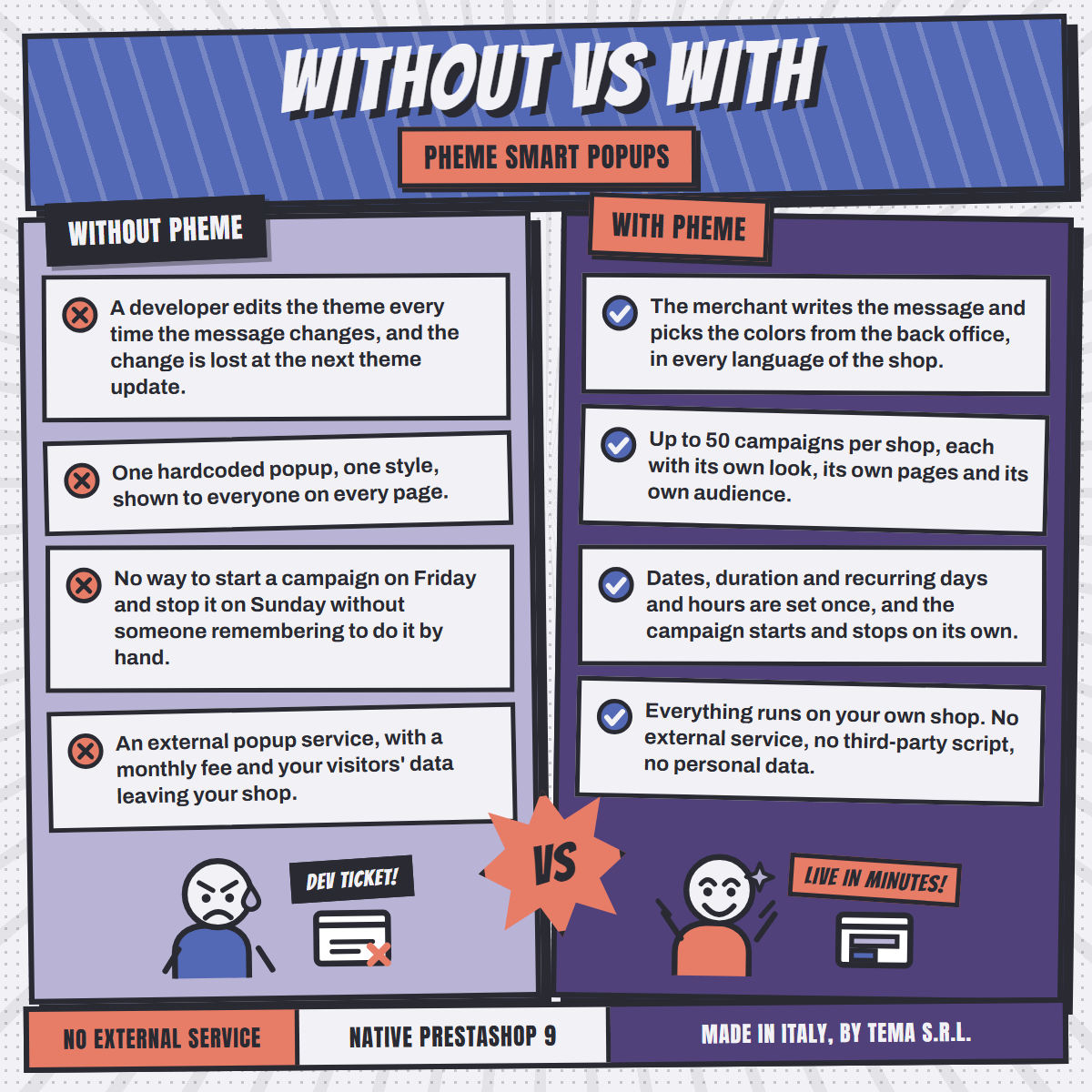
A sale starting Friday, a shipping cut-off before the holidays, a product back in stock, a newsletter worth signing up for. Getting that message on screen usually means editing the theme, or paying a monthly fee to an external service.
Everything a popup needs, and nothing the merchant has to ask a developer for.
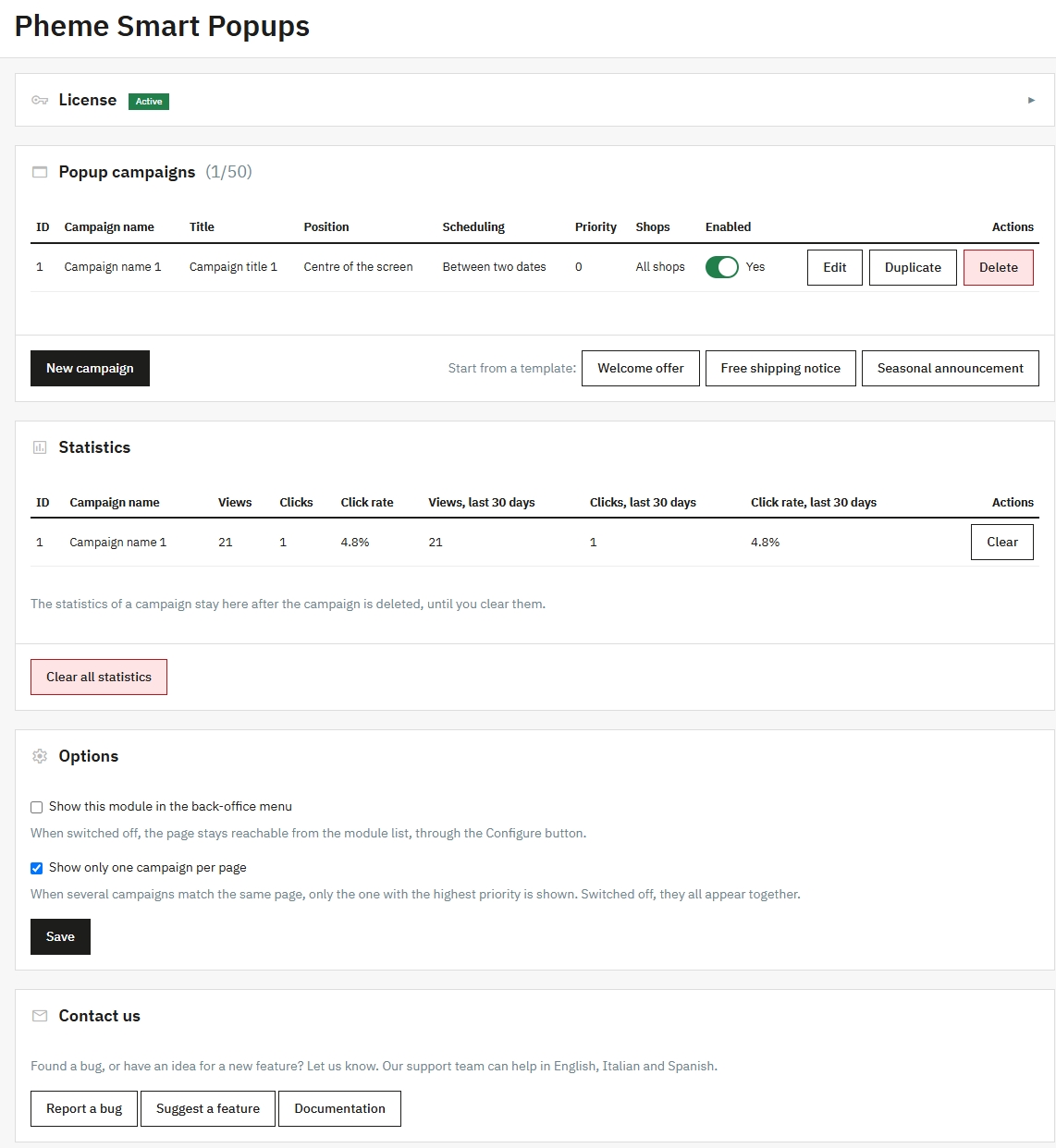
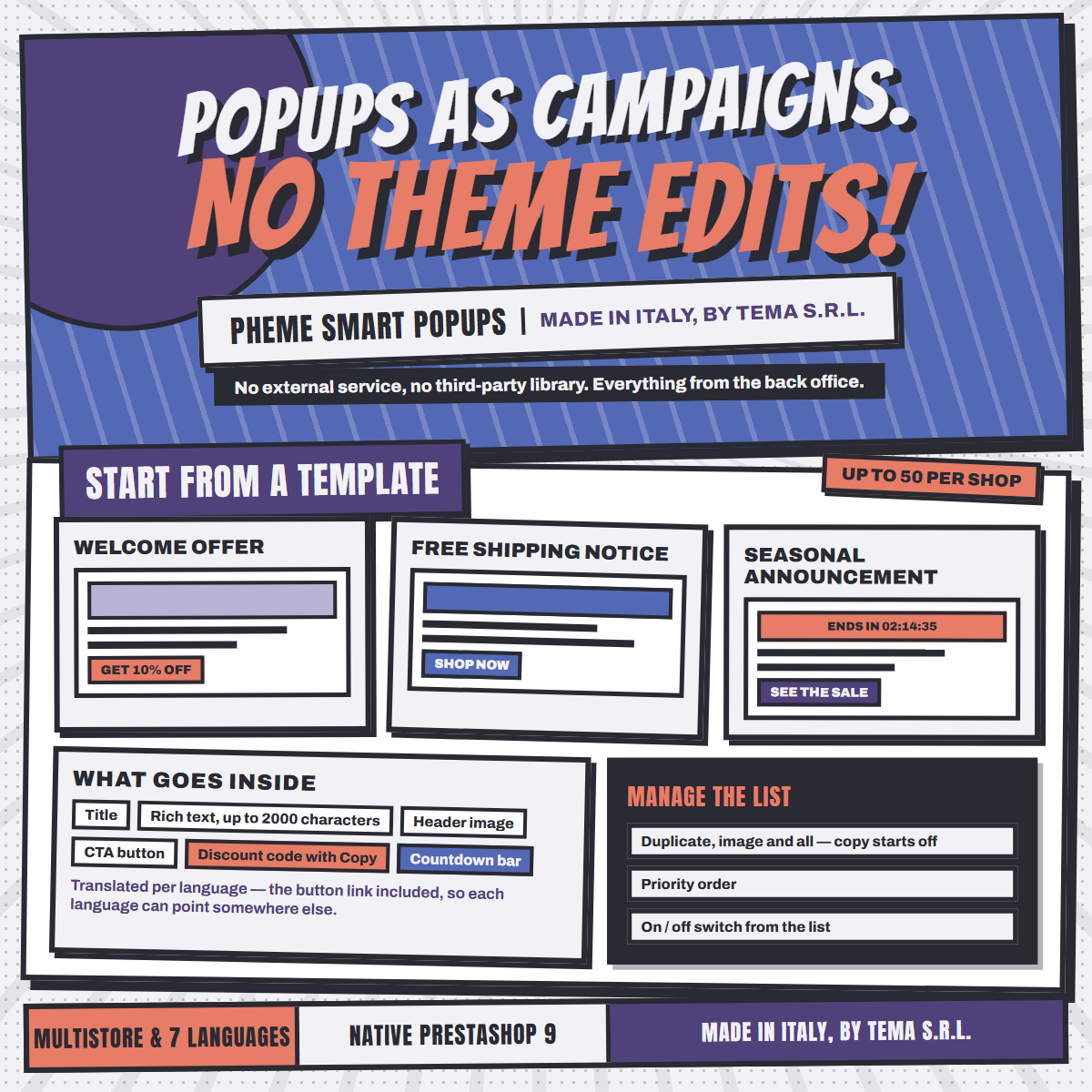
Up to 50 campaigns per shop, each enabled on its own and with a priority, so you decide which comes first when several apply.
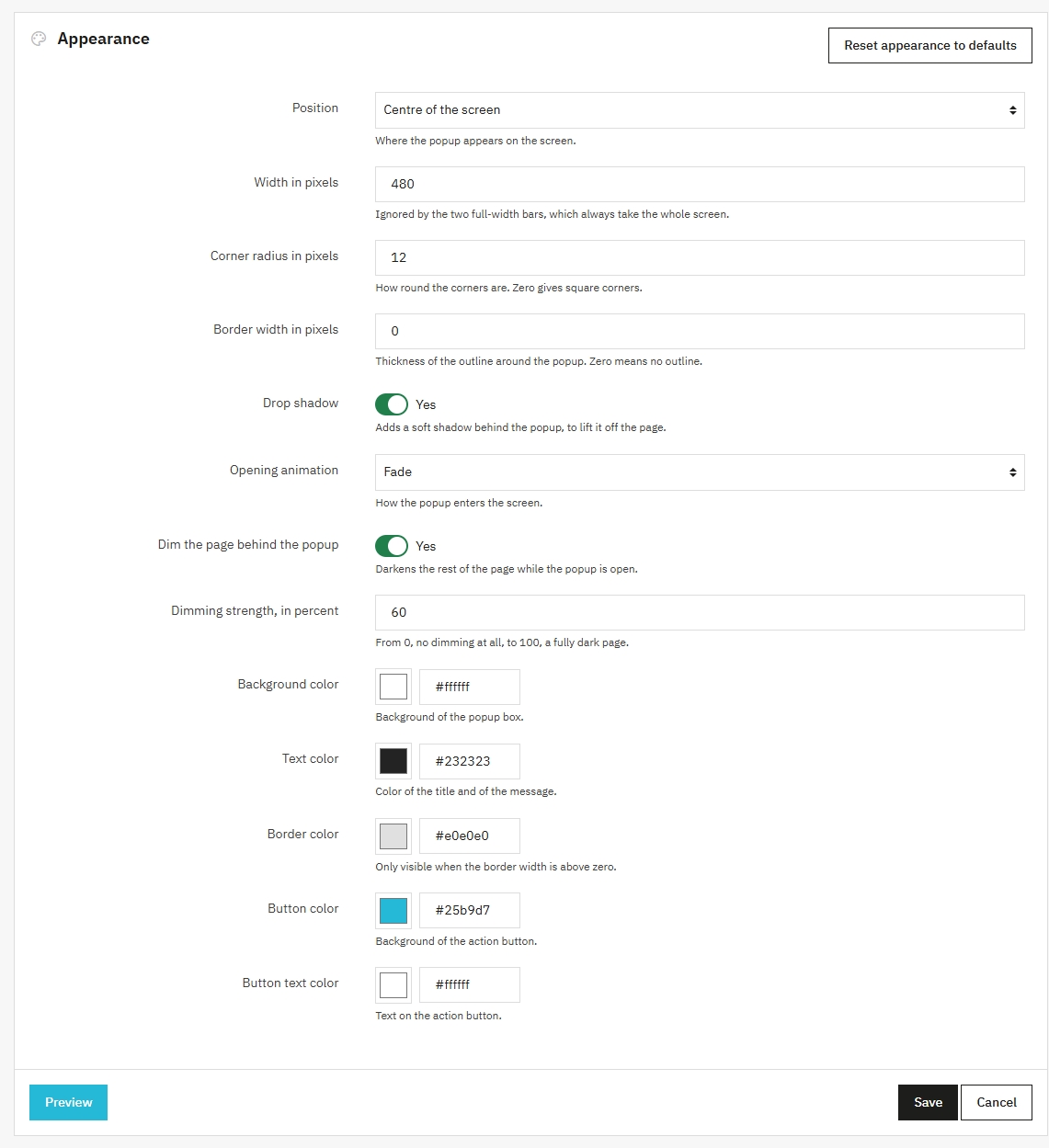
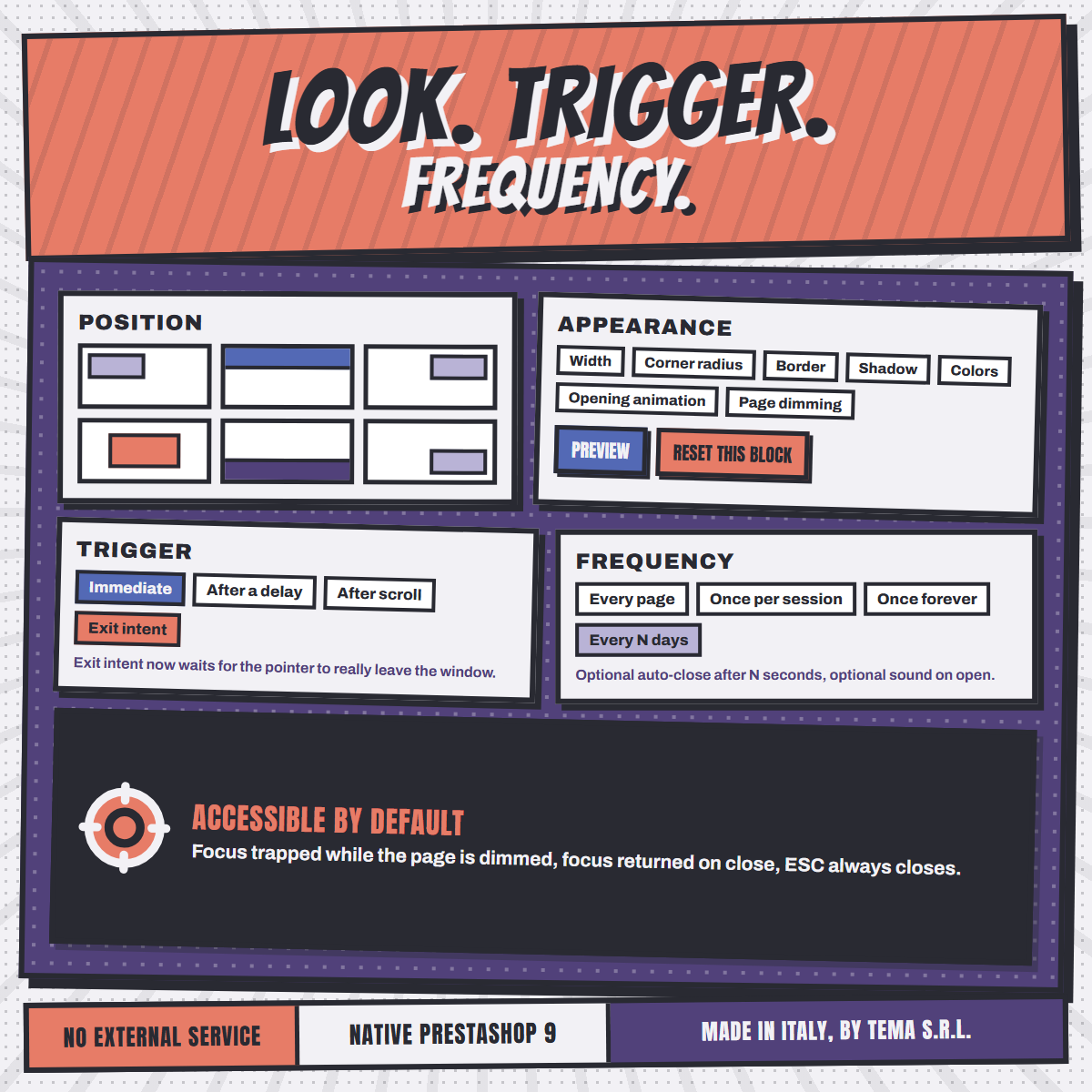
Width, corner radius, border, shadow, five colors and how strongly the page behind is dimmed. No CSS file to edit.
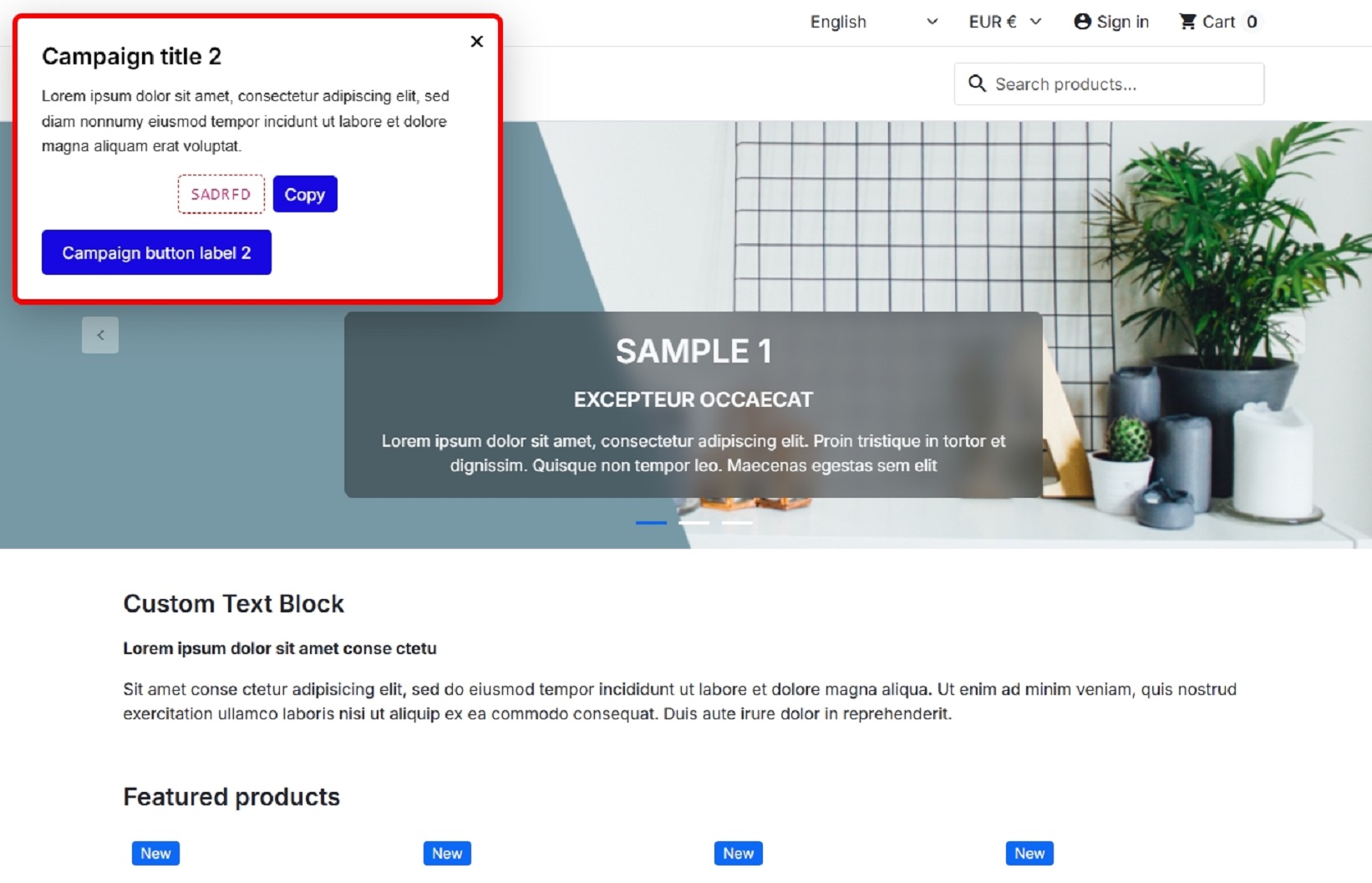
Centre of the screen, any of the four corners, or a full-width bar at the top or the bottom of the page.
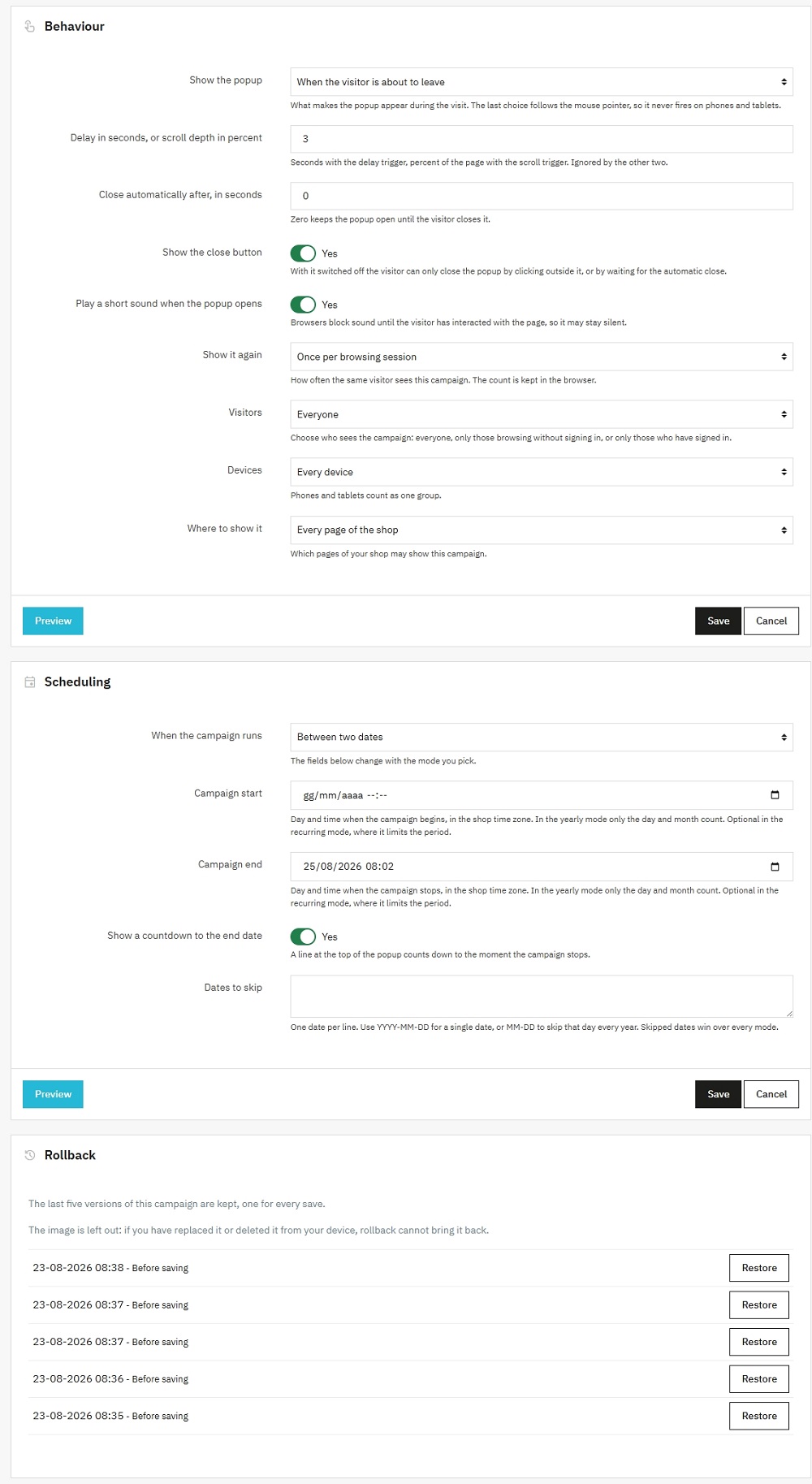
One of the four triggers you can choose: the popup can appear the moment the visitor moves to close the tab, the last chance to keep the sale and the hardest trigger to build by hand.
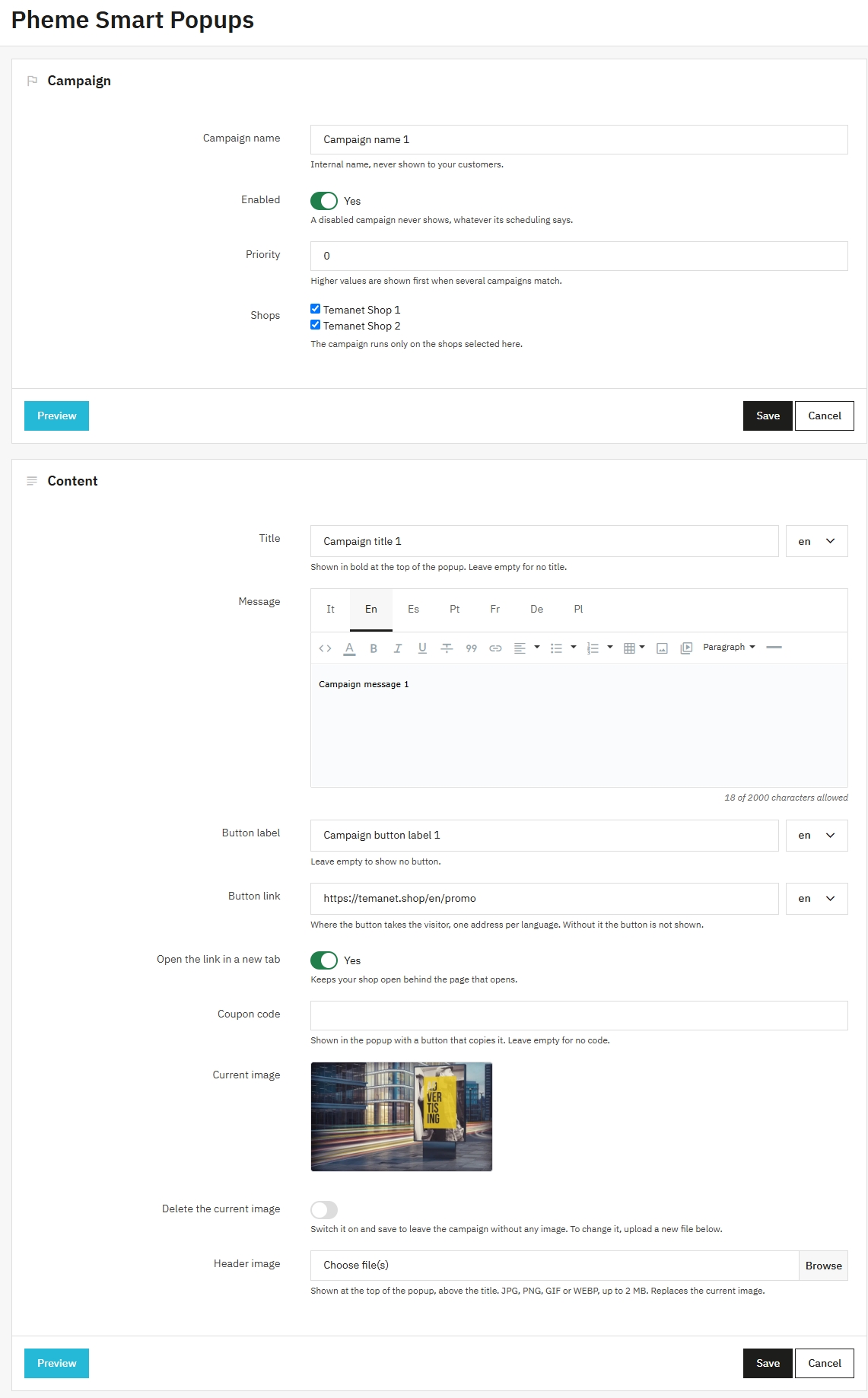
Show a discount code inside the popup with a Copy button: one click and it is in the visitor's clipboard, ready to paste at checkout.
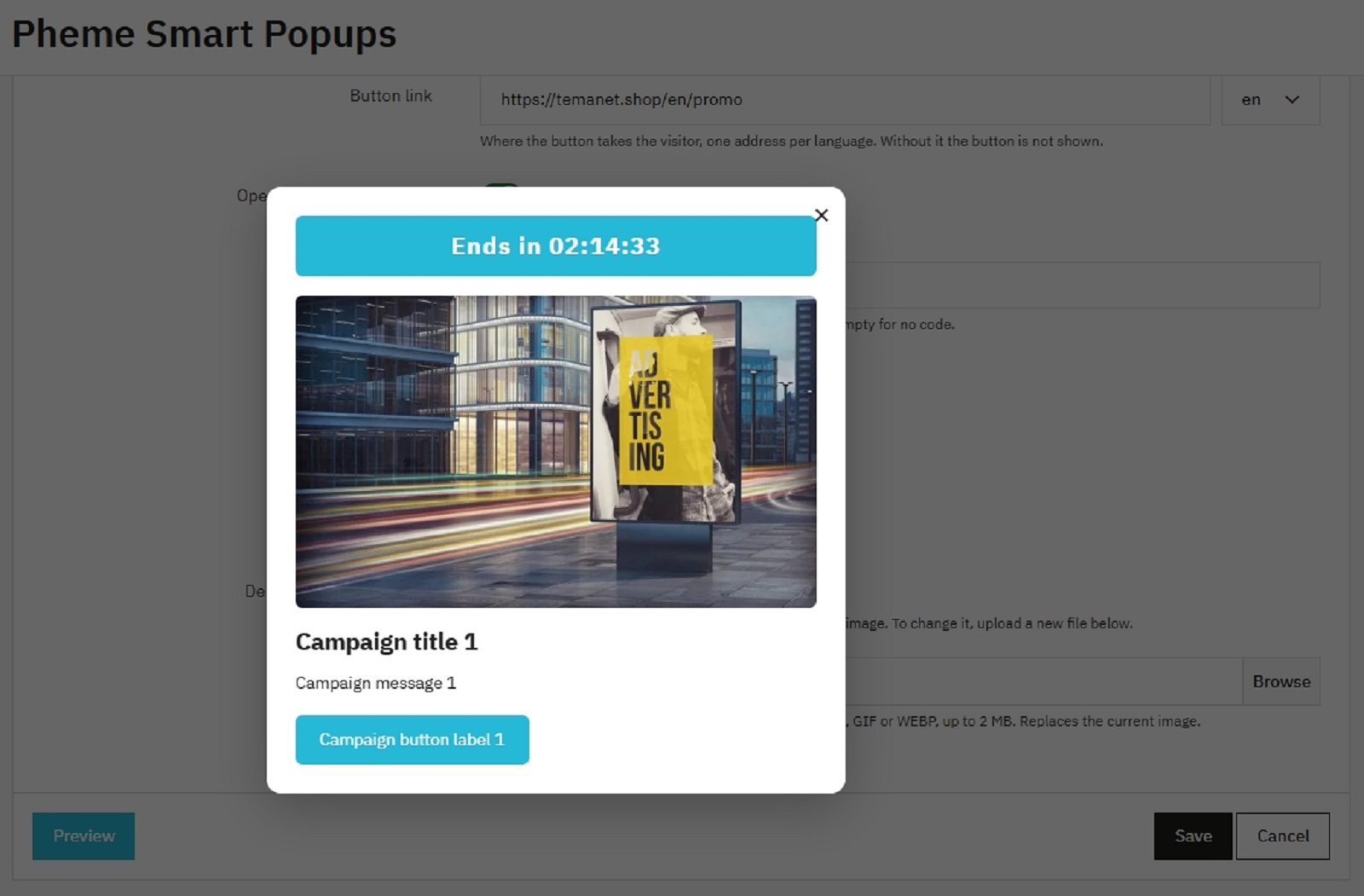
A live countdown to the campaign end date, right in the popup, for the urgency that turns a browse into a sale.
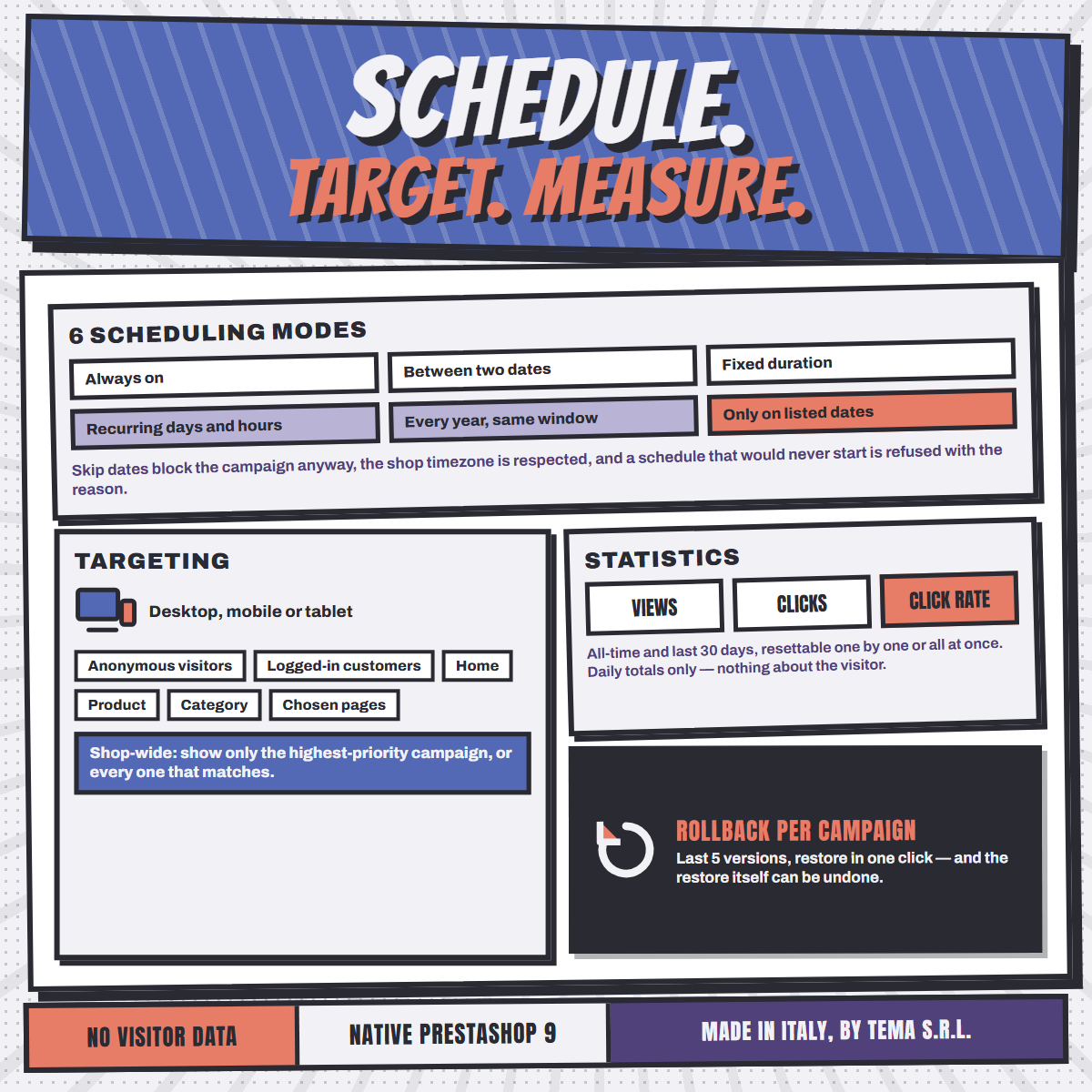
Views, clicks and click rate per campaign, all time and over the last 30 days. Daily totals only, no cookies, nothing about a visitor.
The last five versions of every campaign are kept, restorable in one click. Even the restore itself can be undone.
By device (desktop or mobile), by visitor (guests or logged-in customers) and by page (home, product, category, or a list you pick).
Built to meet WCAG 2.1 level AA, the accessibility standard referenced by the European norm EN 301 549. A real dialog: focus moves in, stays while the page is dimmed and returns on close; Escape closes it, and reduced-motion is respected.
Six modes: always on, between two dates, fixed duration, recurring on chosen days and hours, yearly, or only on the dates you list. Times follow your shop's time zone.
Every page view, once per session, only once per visitor, or once every few days. The popup never becomes an annoyance.
A user guide in English ships inside the module, as a PDF. The Documentation button on the configuration page opens it in a new tab.
Only a local marker in the visitor's browser, so the module knows whether that visitor has already seen the popup.
English, Italian, Spanish, Portuguese, French, Polish and German, ready to use.
Works out of the box with PrestaShop 9's Classic theme and any theme derived from it.
Upload the module from the back office. Nothing else to set up, no external account to open.
Title, formatted text, image and a call-to-action button, in every language of your shop.
Placement, size, colors and animation, plus how much the page behind is dimmed.
When it opens, how often a visitor sees it, and the dates or hours the campaign runs.
No. It sets no cookie and sends nothing anywhere. To remember whether a visitor has already seen a campaign it writes a single marker in that browser's own local storage, which never leaves the visitor's device.
Yes. Every campaign is independent, and a priority decides the order when several campaigns match the same page.
That is up to you. Each campaign has its own frequency rule, from every page view down to only once per visitor, and can close itself automatically after a few seconds.
Yes, a short sound is included and can be enabled per campaign. Browsers block sound until the visitor has interacted with the page, so treat it as a bonus rather than a guarantee.
It works natively with PrestaShop 9's default theme and any theme derived from it. No theme customization is required.
Seven: English, Italian, Spanish, Portuguese, French, Polish and German. Adding more is quick and easy directly from PrestaShop's translation panel.
PrestaShop 9.0 up to 9.1.x, with PHP 8.1 or later.
Yes. Each campaign belongs to the shops it was created in, so different shops can run different popups.
Write directly to tema@temanet.it.
Designed, developed and supported by TEMA S.r.l. Automazione in Legnano (Milan).
Since 1974, a real company with direct human support.