See it in action
The whole module lives on a single back office page.
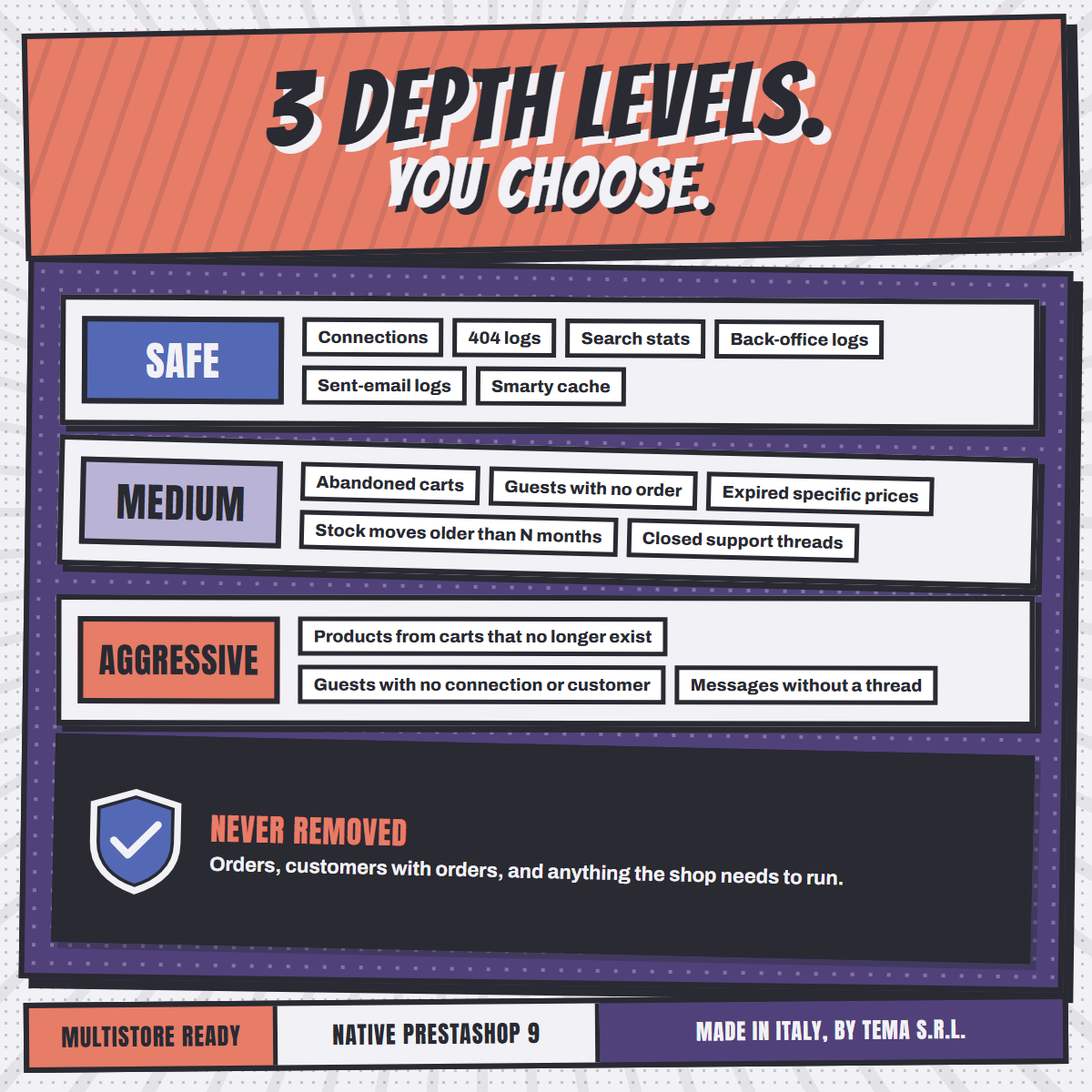
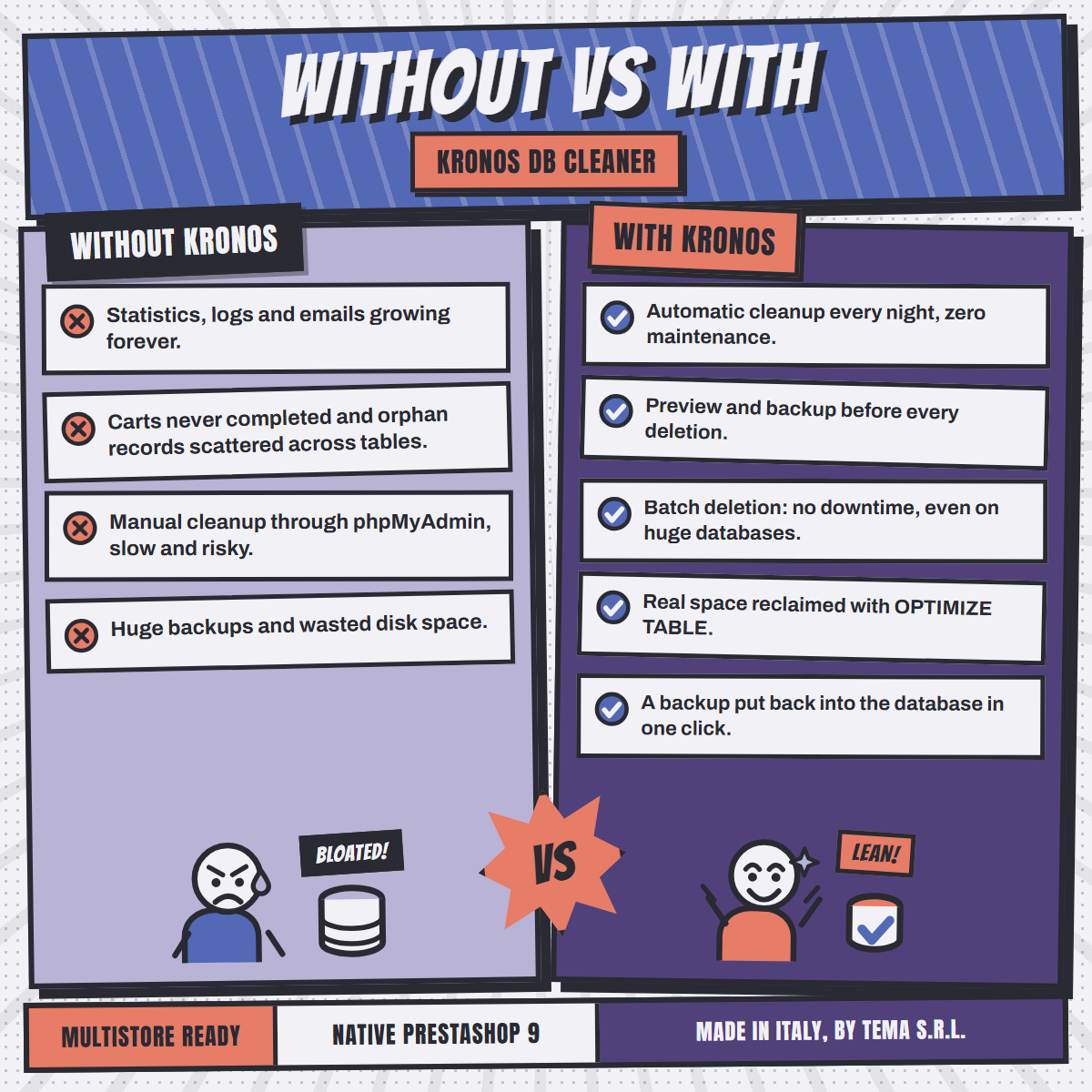
Free up space, speed up your store and remove the "junk" data from your database, automatically, with preview and backup.
See how it works by TEMA S.r.l. AutomazioneMonth after month PrestaShop piles up thousands of useless rows. Queries slow down, the back office gets heavy and backups grow.
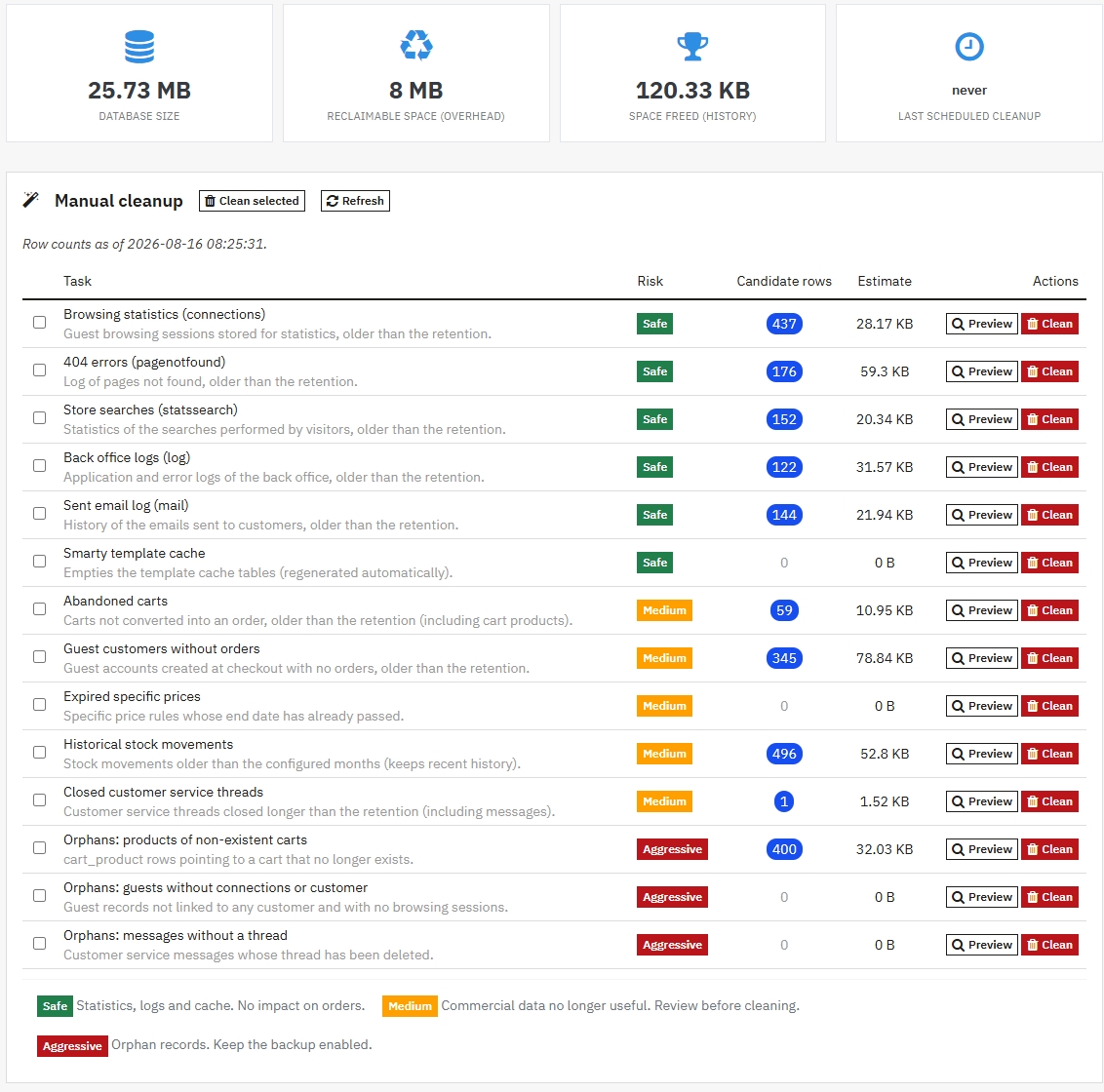
A dashboard that tells you how large the database is and how much space you can reclaim.
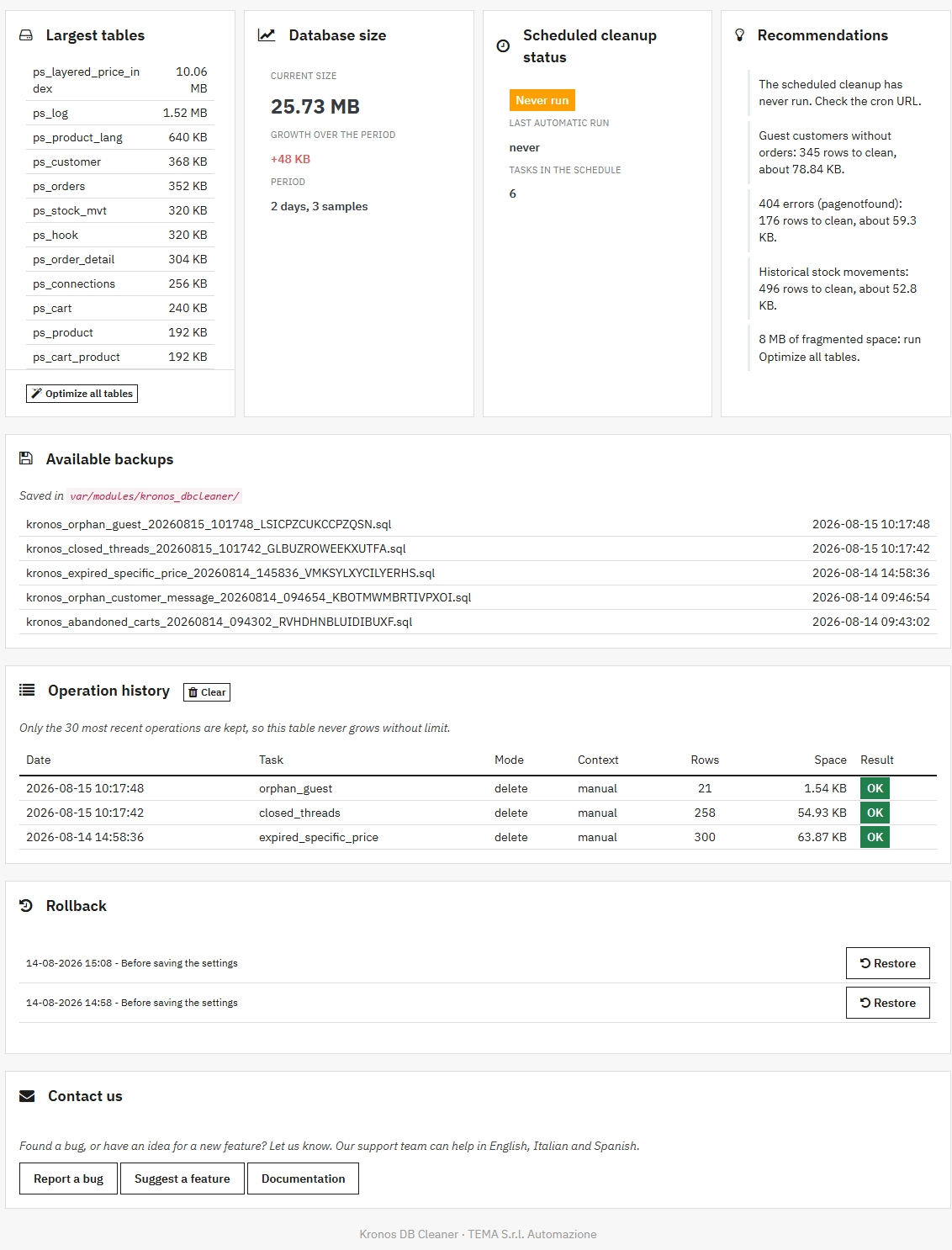
Database size, largest tables and the rows waiting to be cleaned, at a glance.
See how many rows and how many MB will be removed before acting.
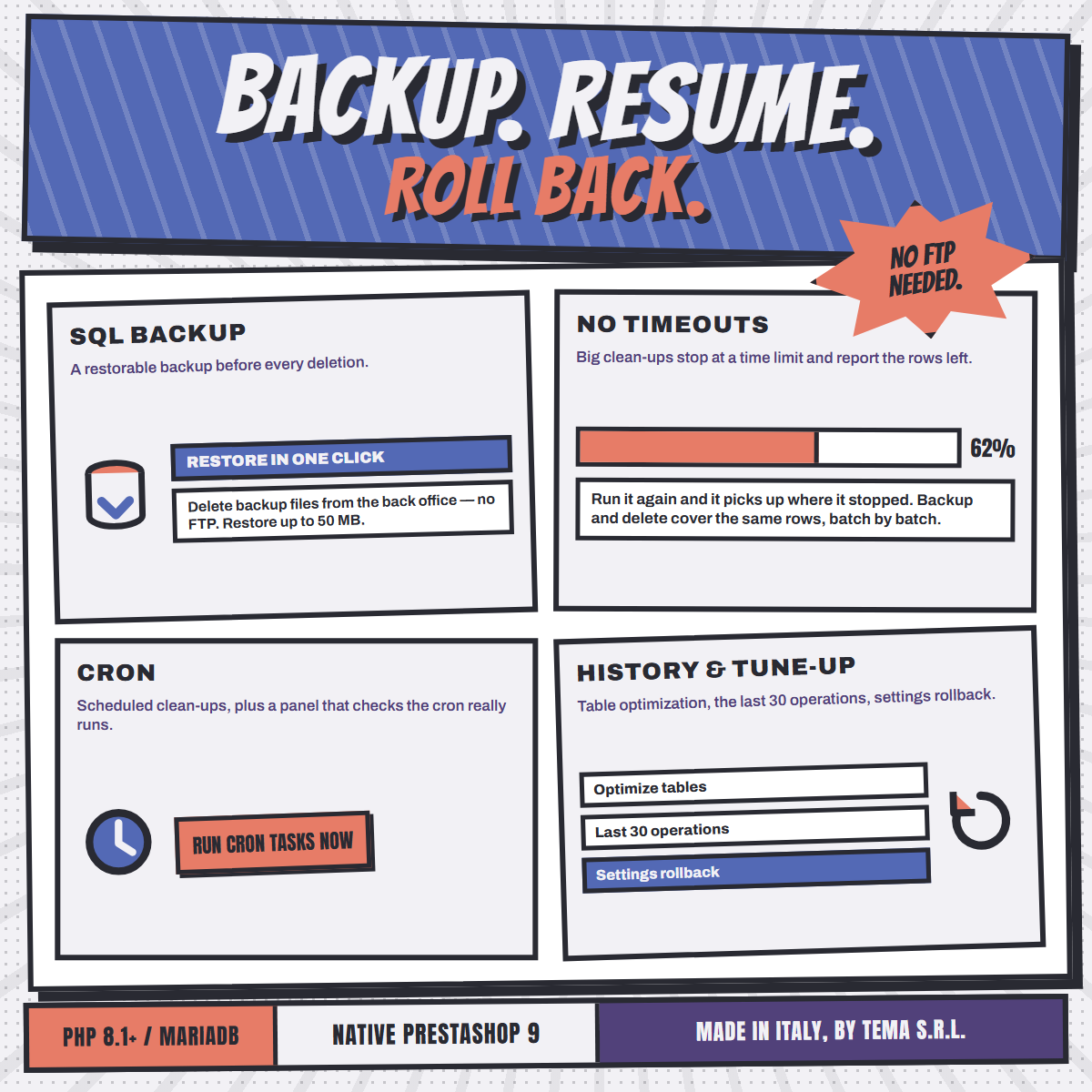
Deleted rows are saved to an SQL file, listed in the back office with size and date, kept in rotation.
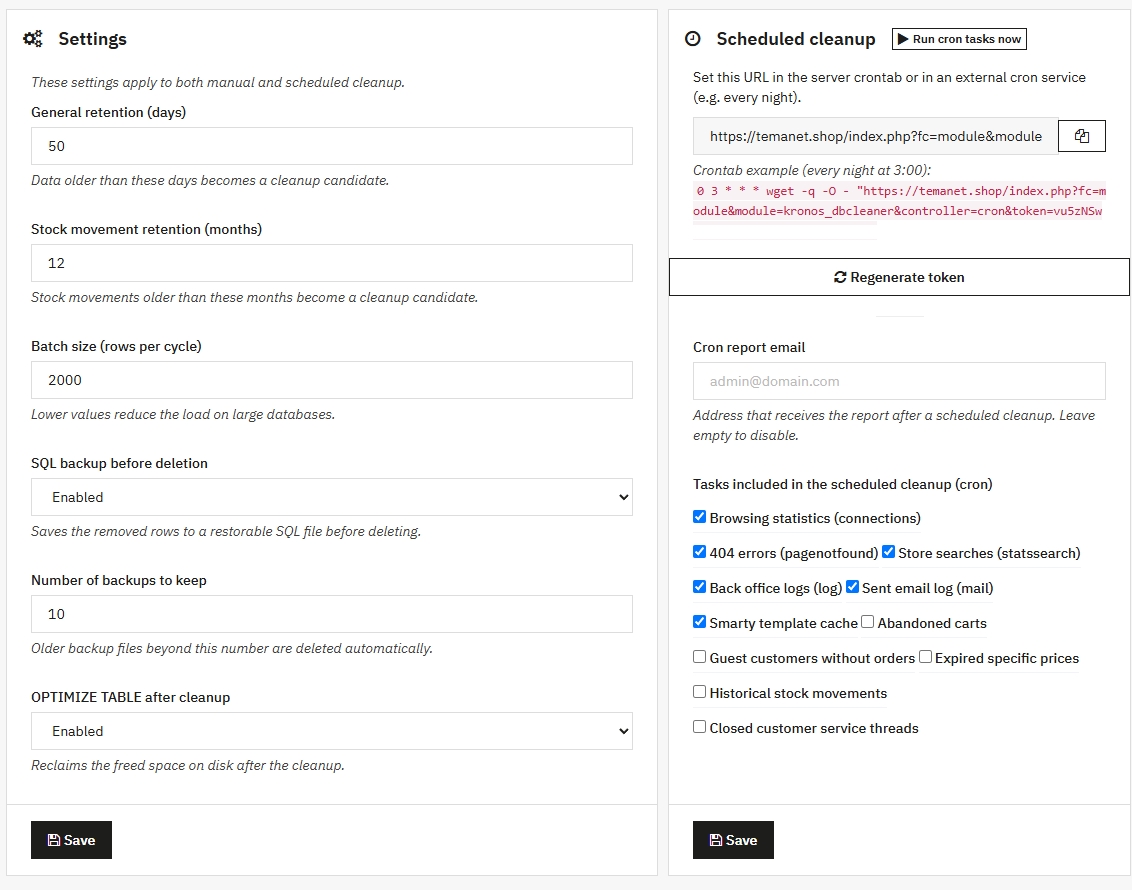
Token-protected cron URL and an email report when it finishes.
Big tables are cleaned in batches within the time your server allows, then continue from where they stopped.
Returns the freed space to the disk after cleanup.
Warns you when the scheduled cleanup has silently stopped running.
Records the database size once a day, so you see it shrink.
Put the rows of a backup back into the database from the back office, with no phpMyAdmin and no FTP.
Every save keeps the last five versions of the settings, restorable in one click, and the restore itself can be undone.
The whole module lives on a single back office page.
Fourteen tasks organized by risk level. Clean only what you trust.
Installs in 2 minutes, no mandatory configuration.
Upload the zip from Modules, Upload a module.
The dashboard shows the database size and the rows to clean.
Check rows and space, with backup enabled.
Set the cron and receive the email report.
No. Kronos never touches orders or customers with orders. Every task declares its own risk level, shows a preview and, when backup is enabled, saves the removed rows to a restorable SQL file.
Before every deletion a .sql backup is created in the module's protected folder. The Available backups panel lists the files and puts one back into the database with a single click. Very large files are imported manually instead, and the panel says so.
No: deletion runs in small configurable batches, keeping the load low even on very large stores.
No. Kronos works for a limited time, stops on a whole batch and tells you how many rows are left. Run it again and it continues from there, so a large backlog is cleared over a few passes instead of dying on a server timeout.
A dedicated panel shows when the scheduled cleanup last ran and warns you when too much time has passed, so a cron that stopped does not go unnoticed.
Yes, the module is fully multistore compatible. Seven languages are included: English, Italian, German, Spanish, French, Polish, Portuguese.
Designed, developed and supported by TEMA S.r.l. Automazione in Legnano (Milan).
Since 1974, a real company with direct human support.