Screenshots
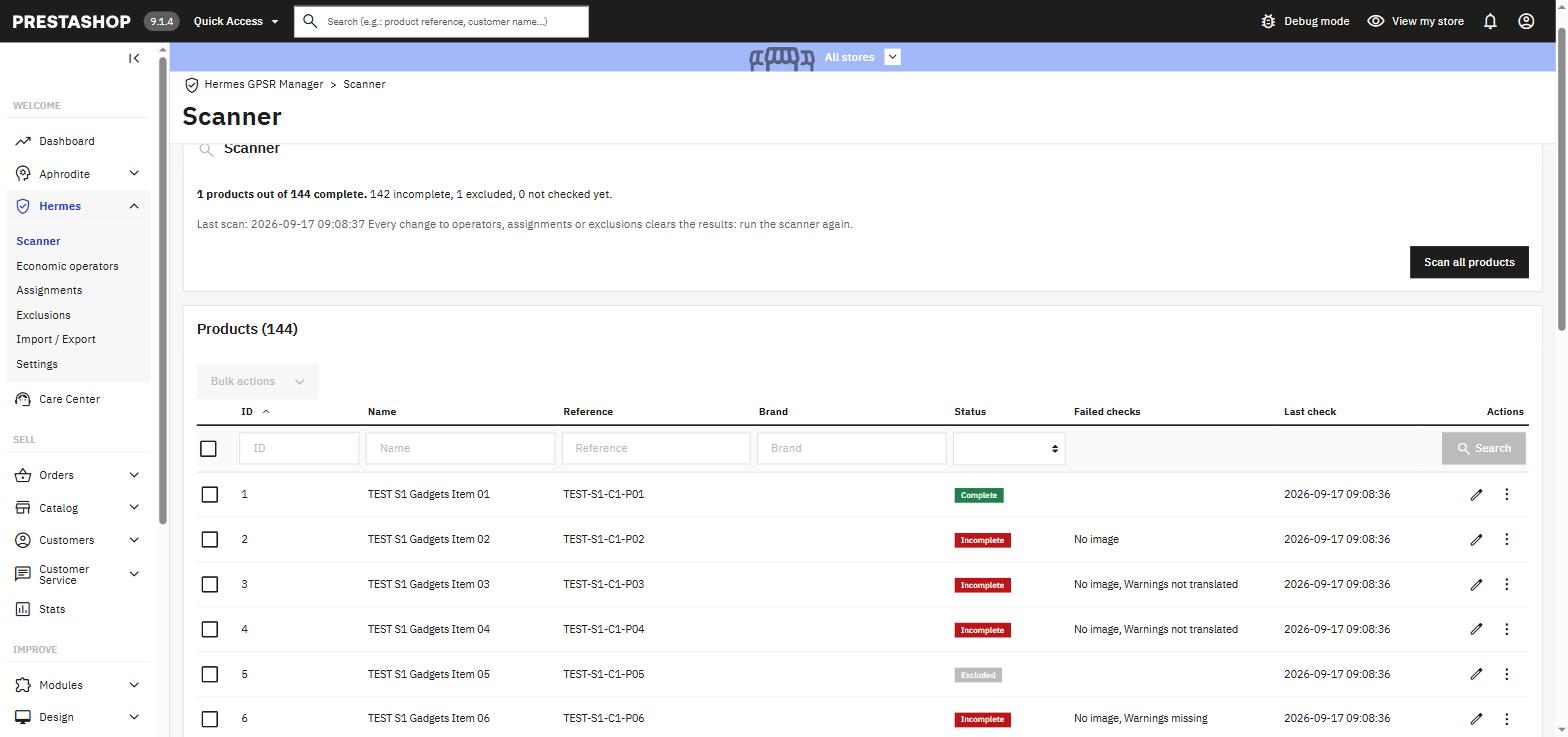
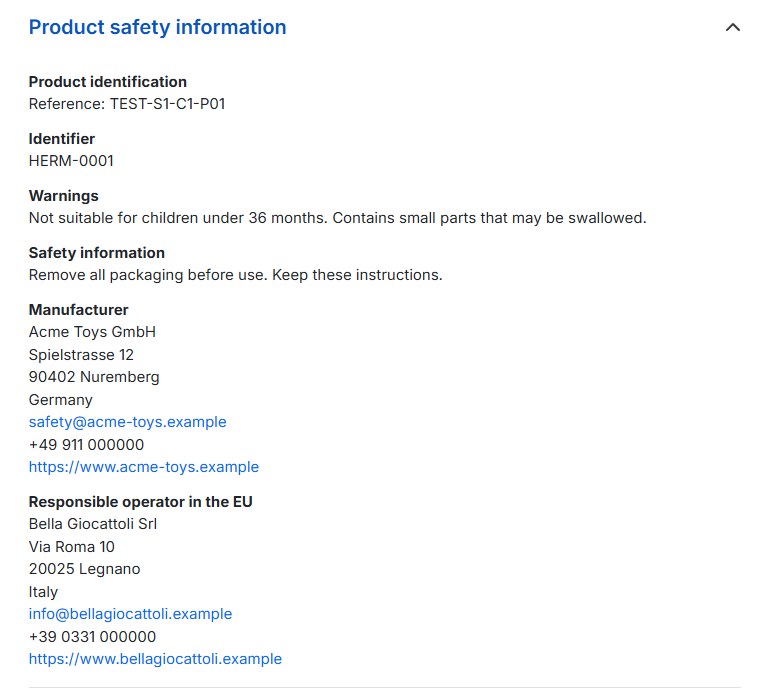
Publish the product safety information that Regulation (EU) 2023/988 requires on every product page, and see at a glance which products are still missing something.
Contact Usby TEMA S.r.l. Automazione
Since 13 December 2024, Article 19 of Regulation (EU) 2023/988, the General Product Safety Regulation, requires every distance offer to show the manufacturer and its contact details, the responsible operator in the EU when the manufacturer is outside it, an identifier of the product, a picture, and the warnings or safety information that come with it.
Everything a merchant needs to meet Article 19, and nothing that duplicates what PrestaShop already does.
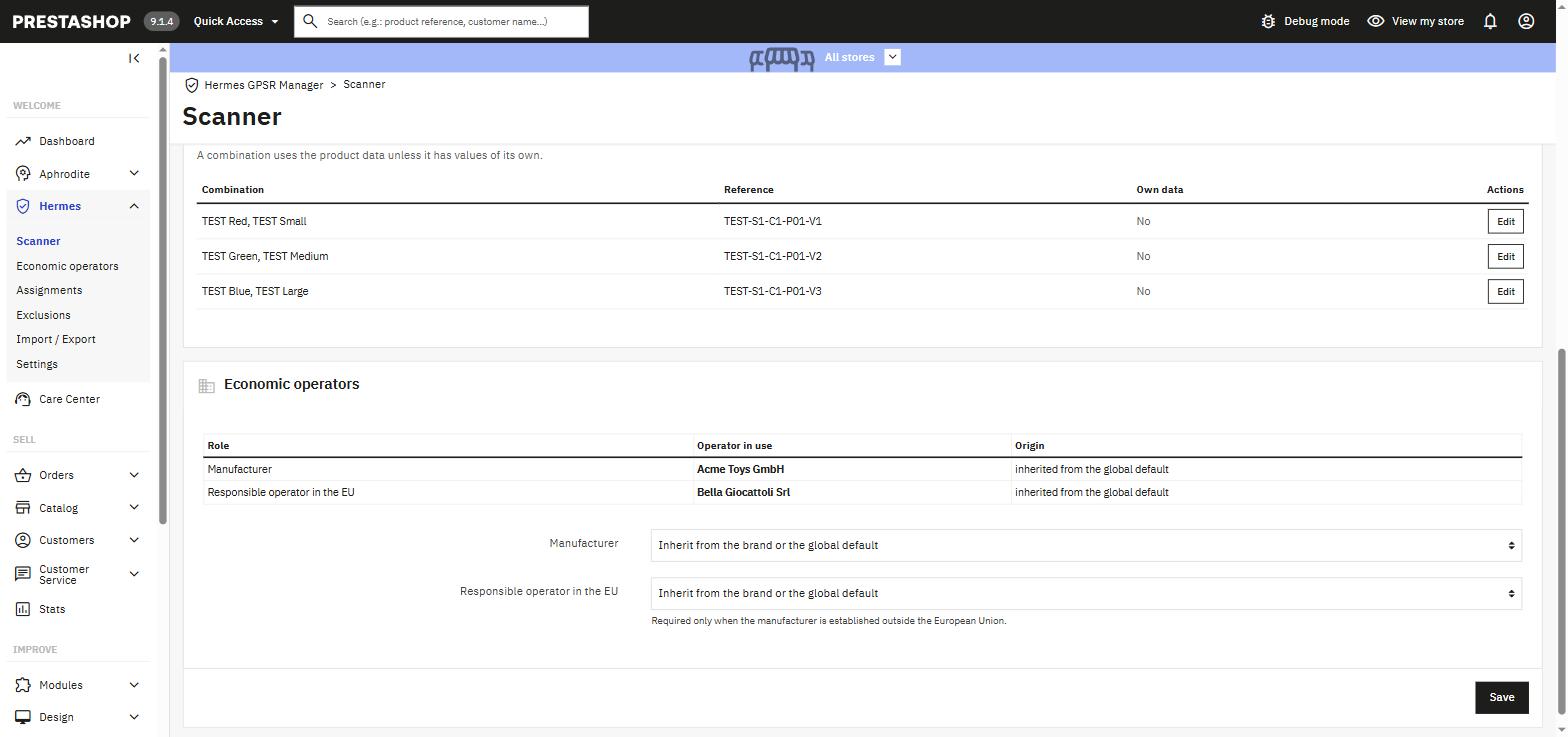
Manufacturers and responsible operators in the EU as companies with name, address, country, email, phone and website. Recorded once, assigned everywhere.
Product, then brand, then a global default: the most specific level wins. One global default can cover a whole catalog; only the exceptions need their own assignment.
Eight checks per product: manufacturer, responsible operator, contact data, picture, identifier, warnings and their translations. Three statuses, no misleading percentage.
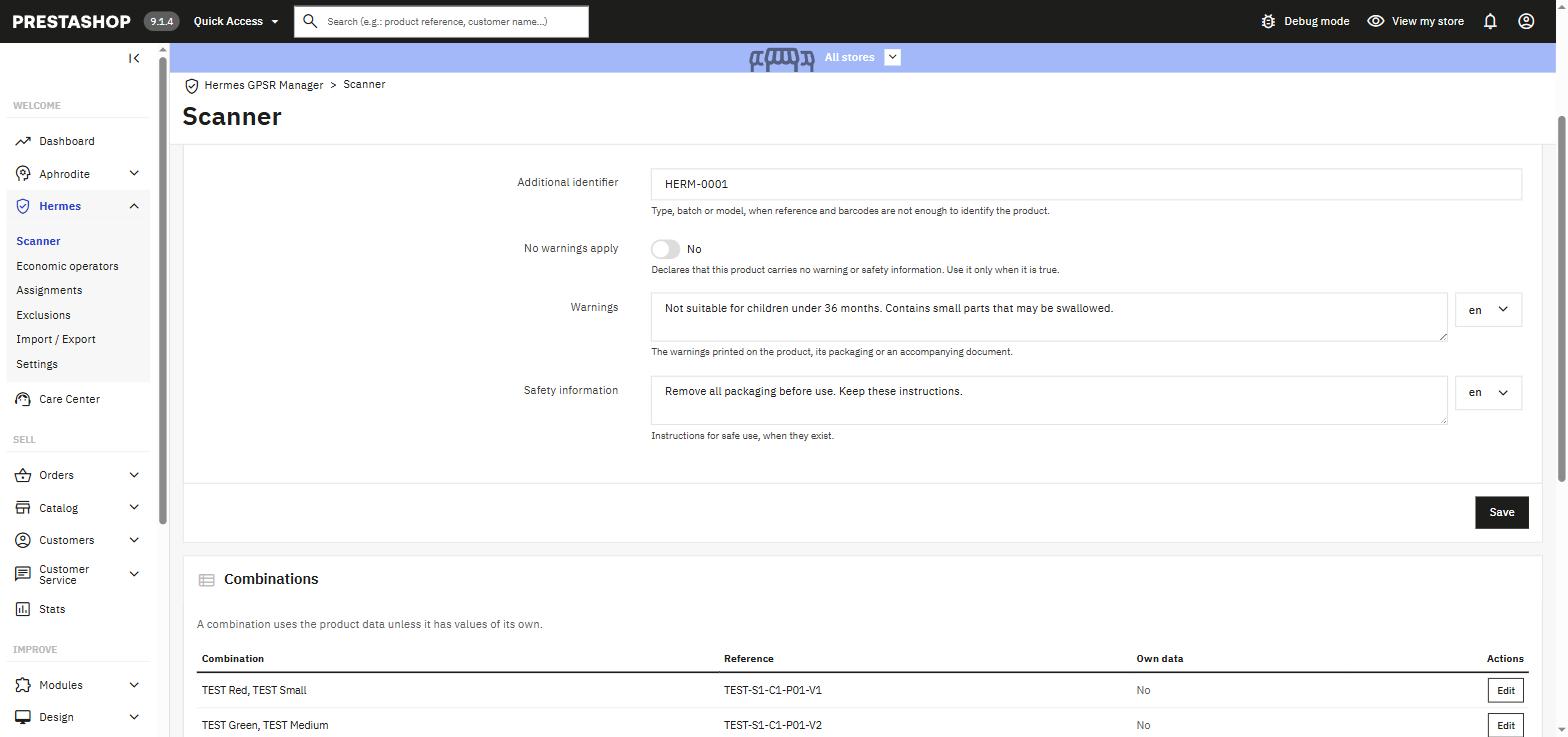
Warnings and safety instructions in every language of the shop, with an explicit "no warnings apply" declaration for products that carry none. Combinations can override field by field.
Take services, second-hand goods or products covered by a specific regulation out of scope, by product, brand or category, with the reason on record for the day an authority asks.
Operators and product data travel as CSV in both directions. Every import is checked row by row before anything is written, and sample files show the format.
A cron address scans the whole catalog on its own, for example once a night. Products are also rechecked automatically when they are saved or when their Hermes data changes.
English, Italian, French, Spanish, Portuguese, German and Polish, ready to use in the back office and on the product page.
Uses three standard hooks of PrestaShop's Classic theme: no override, no template change. Multistore ready, no external dependency.
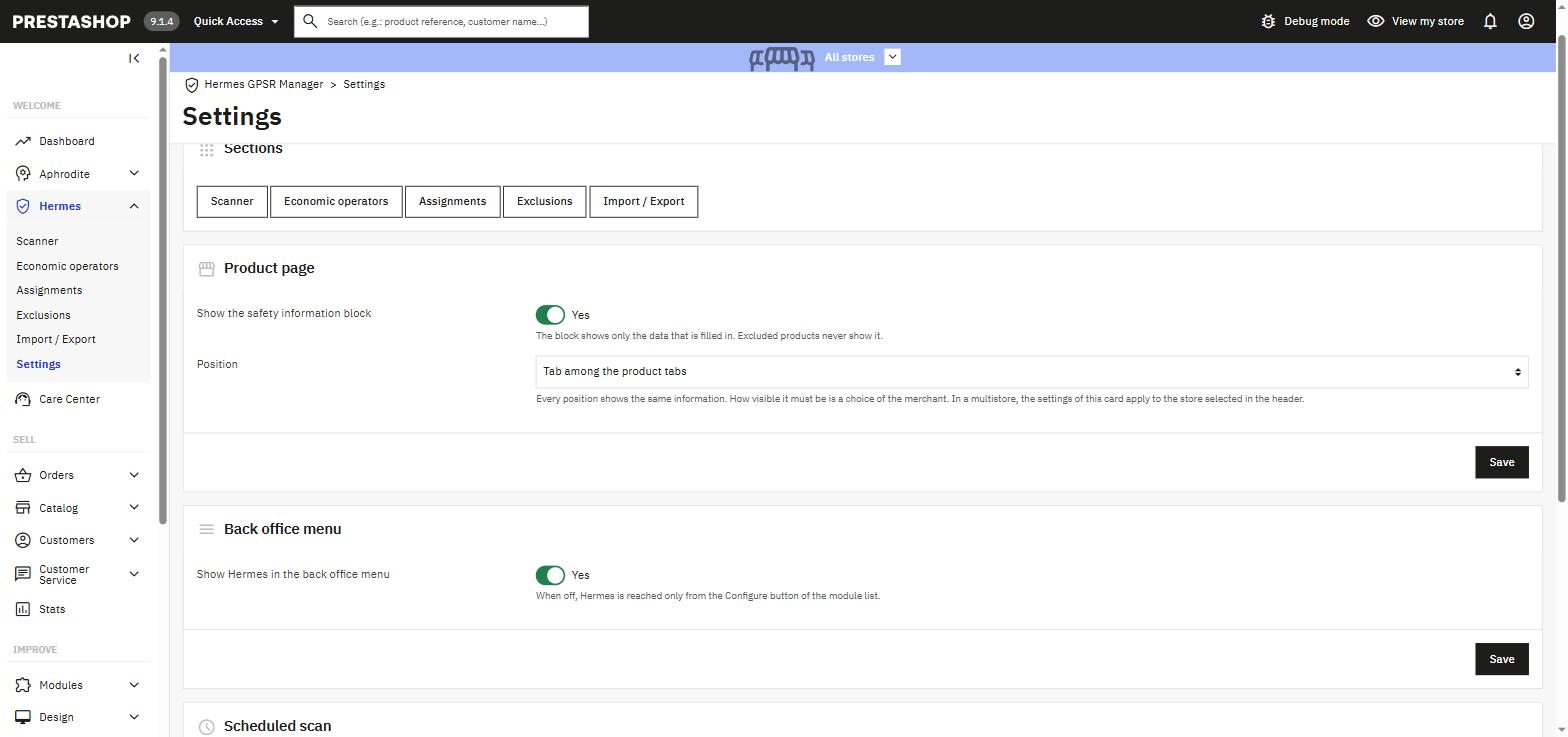
Every position shows the same information: the Regulation asks for all of it. How visible it has to be on the page is your choice.
A tab next to Description and Product details. The most discreet option.
Label and value on the same line, right below the add-to-cart button.
One summary line with the manufacturer's name; the rest opens on request.
The full list, one section per item, at the end of the product page.
Add the manufacturers and the responsible operators in the EU, by hand or from a CSV file.
Set a global default, then an assignment per brand or per product only where it differs.
Run the scanner, open the incomplete products, add warnings and identifiers, exclude what is out of scope.
The safety block appears on every product page, in the position you chose, in the customer's language.
Hermes is a support tool: it records, checks and publishes the information Article 19 asks for. Whether a product falls under the GPSR, which warnings it must carry and how visible they have to be remain decisions of the merchant. It is not legal advice and not a certificate of conformity.
No. A global default, or one assignment per brand, gives every product its manufacturer and responsible operator. Warnings are per product, and for those the CSV import is the way on a large catalog.
No. Article 19 asks for information on the product page, not for documents. Hermes never uploads, stores or publishes files; the product picture is the one already in your catalog.
Add an exclusion rule on the product, its brand or its category, with the reason. Excluded products are not checked and show no safety block.
It uses three standard hooks of PrestaShop 9's Classic theme, so it works with Classic and with any theme that keeps them, without overrides. Tested with Classic and Hummingbird.
Seven: English, Italian, French, Spanish, Portuguese, German and Polish. More can be added directly from PrestaShop's translation panel.
PrestaShop 9.0 up to 9.1.x, with PHP 8.1 or later. Multistore is supported: the compliance data is shared by all shops, the display settings are per shop.
Write to tema@temanet.it.
Designed, developed and supported by TEMA S.r.l. Automazione in Legnano (Milan).
Since 1974, a real company with direct human support.