Screenshots
PrestaShop tells you what you sold. Aphrodite tells you what you kept.
Contact Usby TEMA S.r.l. Automazione
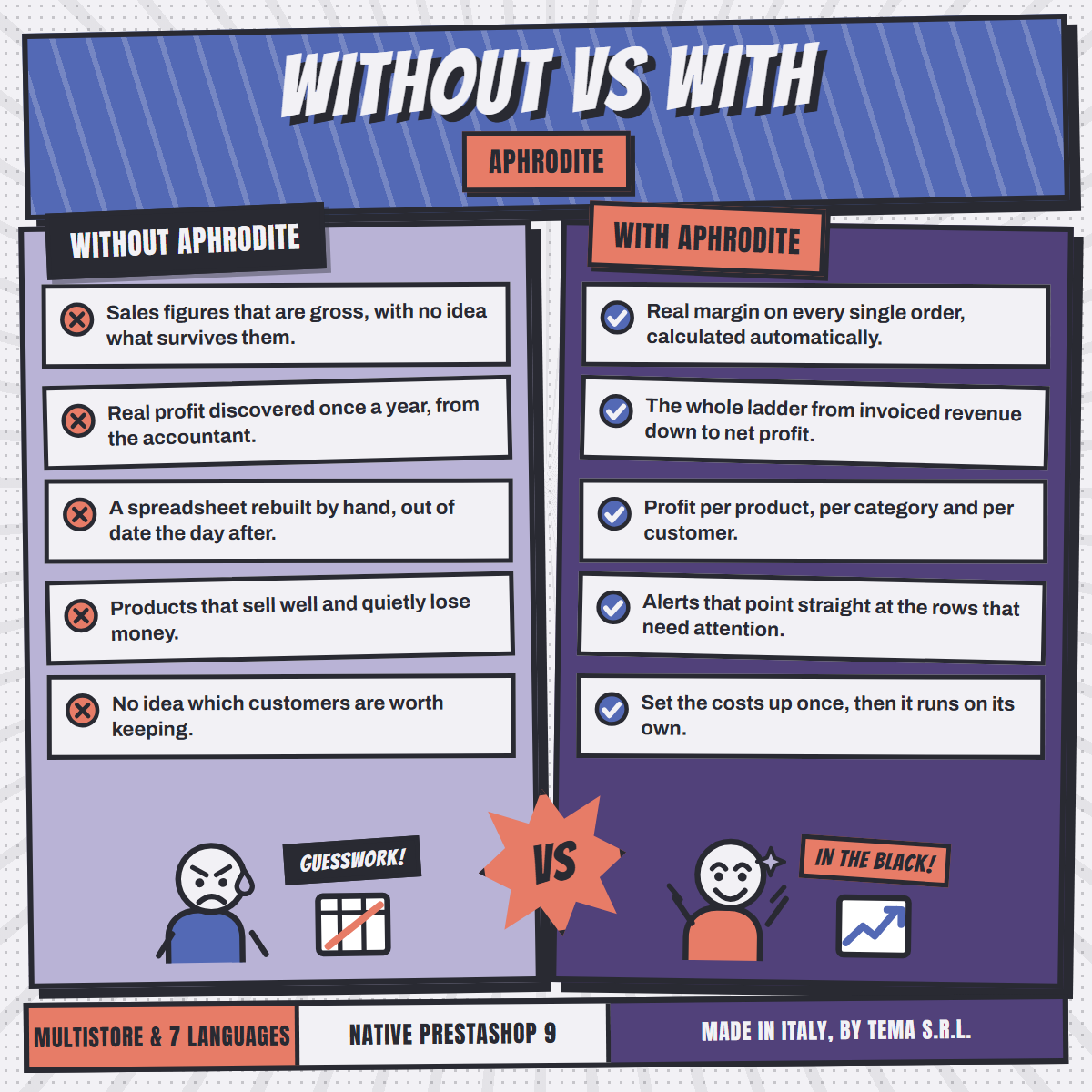
Out of every order come the goods, the gateway's cut, the courier, the discounts and the refunds. Then come hosting, advertising and the warehouse. What is left is the only number that decides whether the shop is worth running.
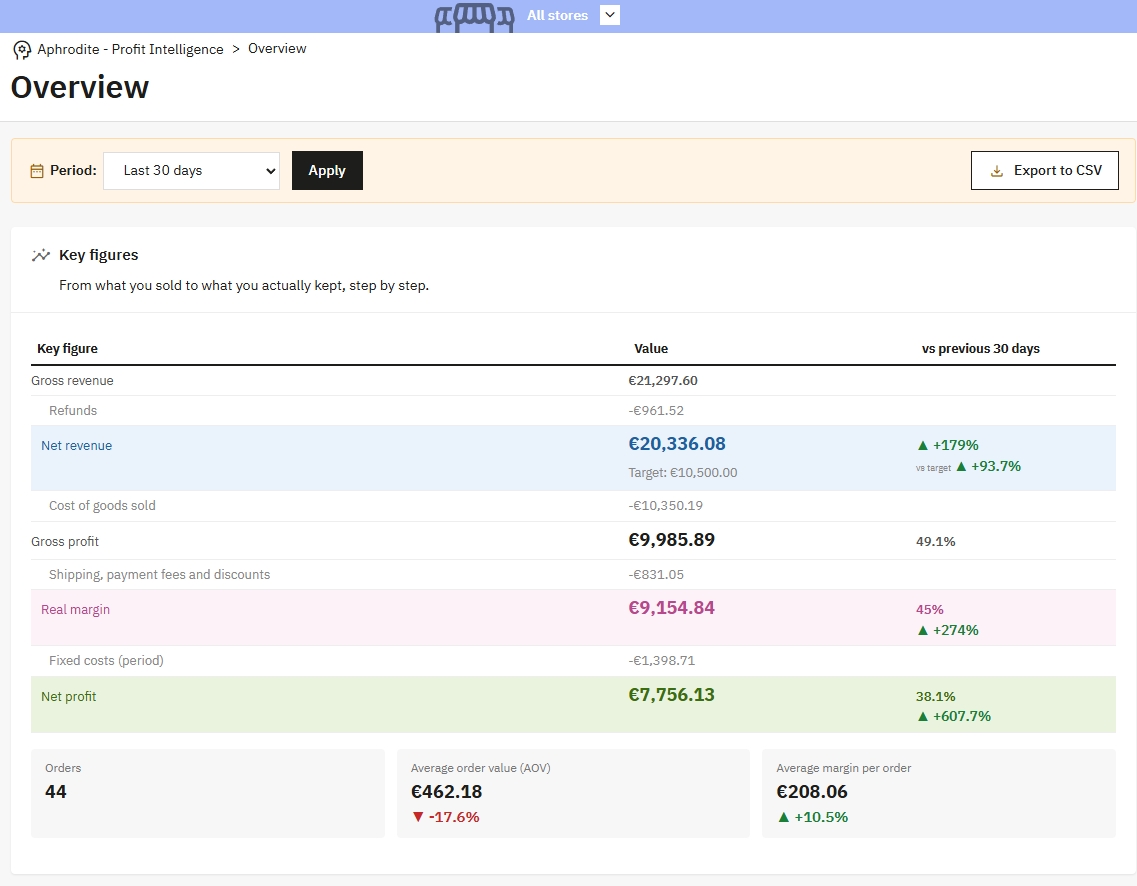
Every rung shows what was subtracted to reach it, so a figure is never something you have to take on trust.
Four pages in the back office, and nothing to install alongside them.
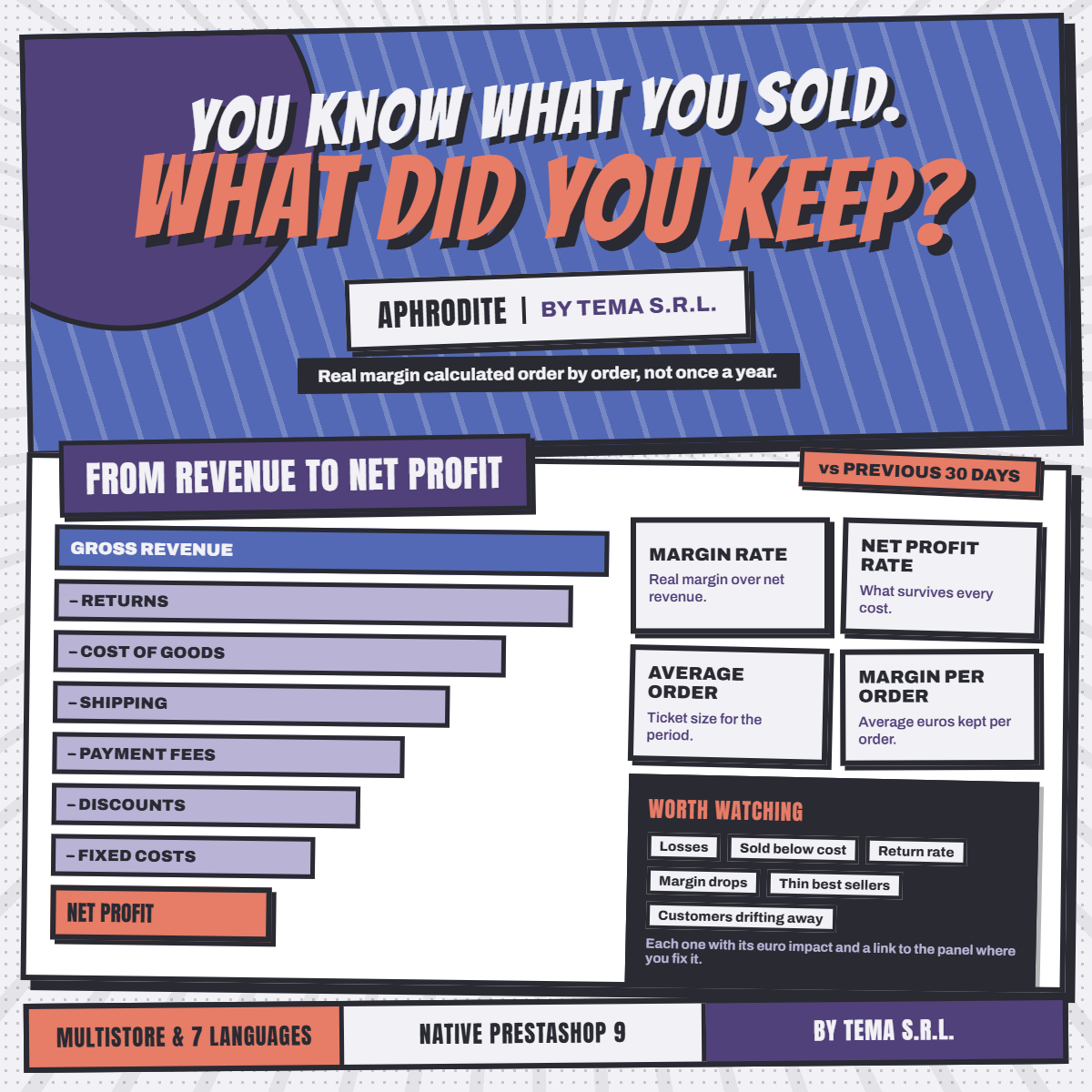
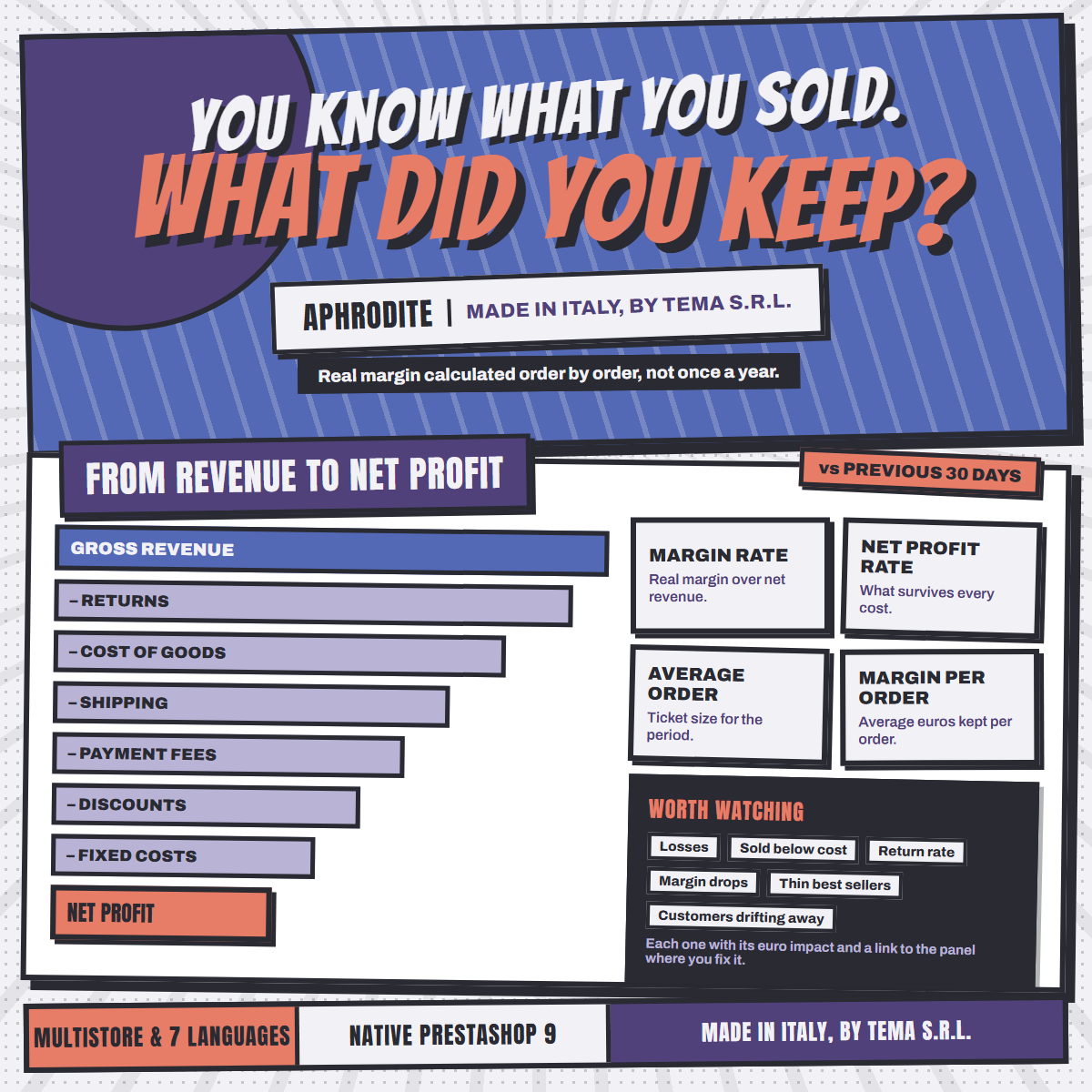
Nine rungs from gross revenue to net profit, each compared with the previous period. The heading of the comparison column names the period it measures against.
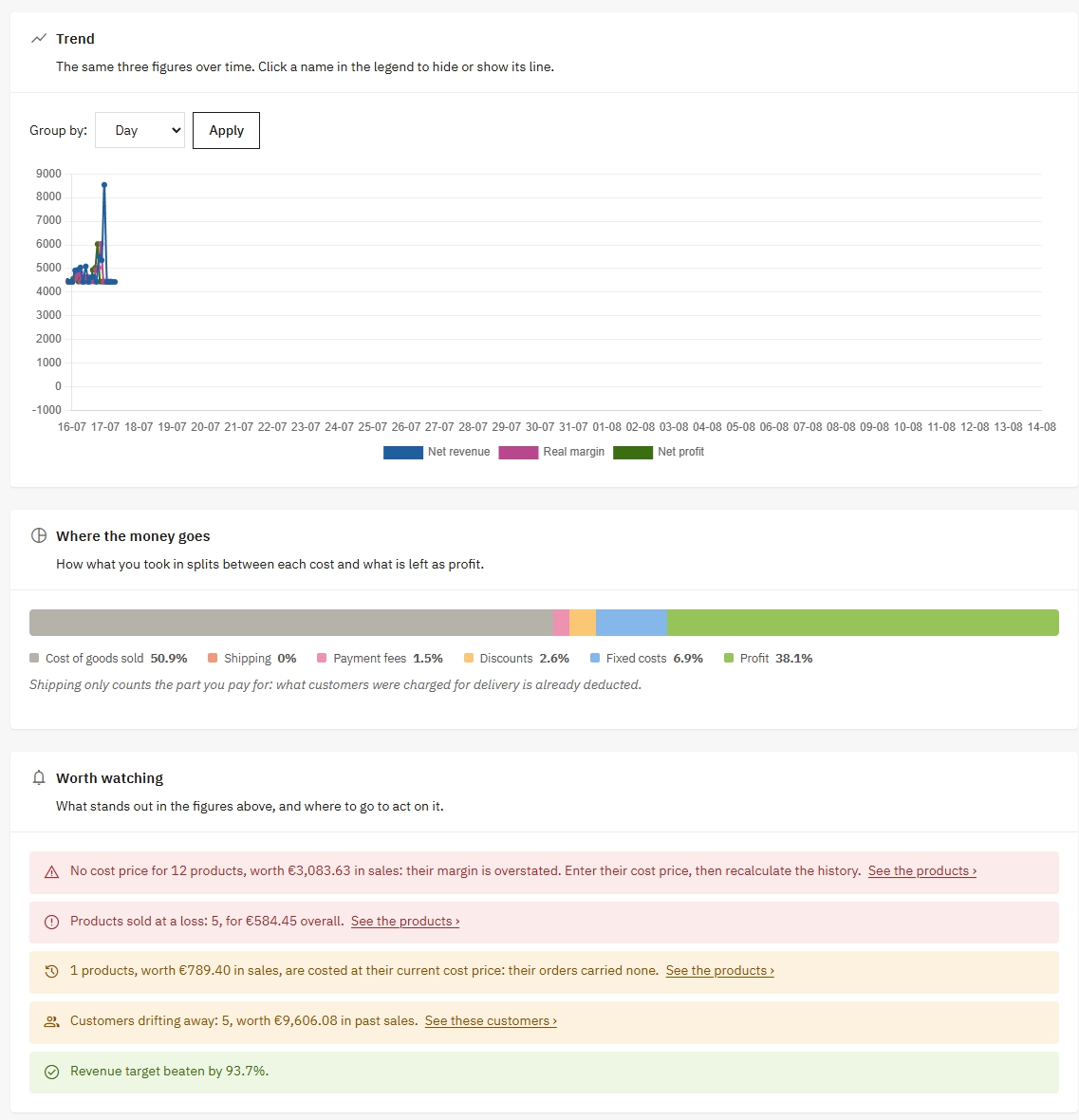
Net revenue, real margin and net profit on one chart, grouped by day, week, month or year. Click a name in the legend to hide a line.
One bar splits what you took in between each cost and what is left as profit, in percentages of your own revenue.
The module reads its own figures: products sold at a loss, products with no cost price, customers drifting away, a margin rate that has fallen. Every alert links to the rows it means.
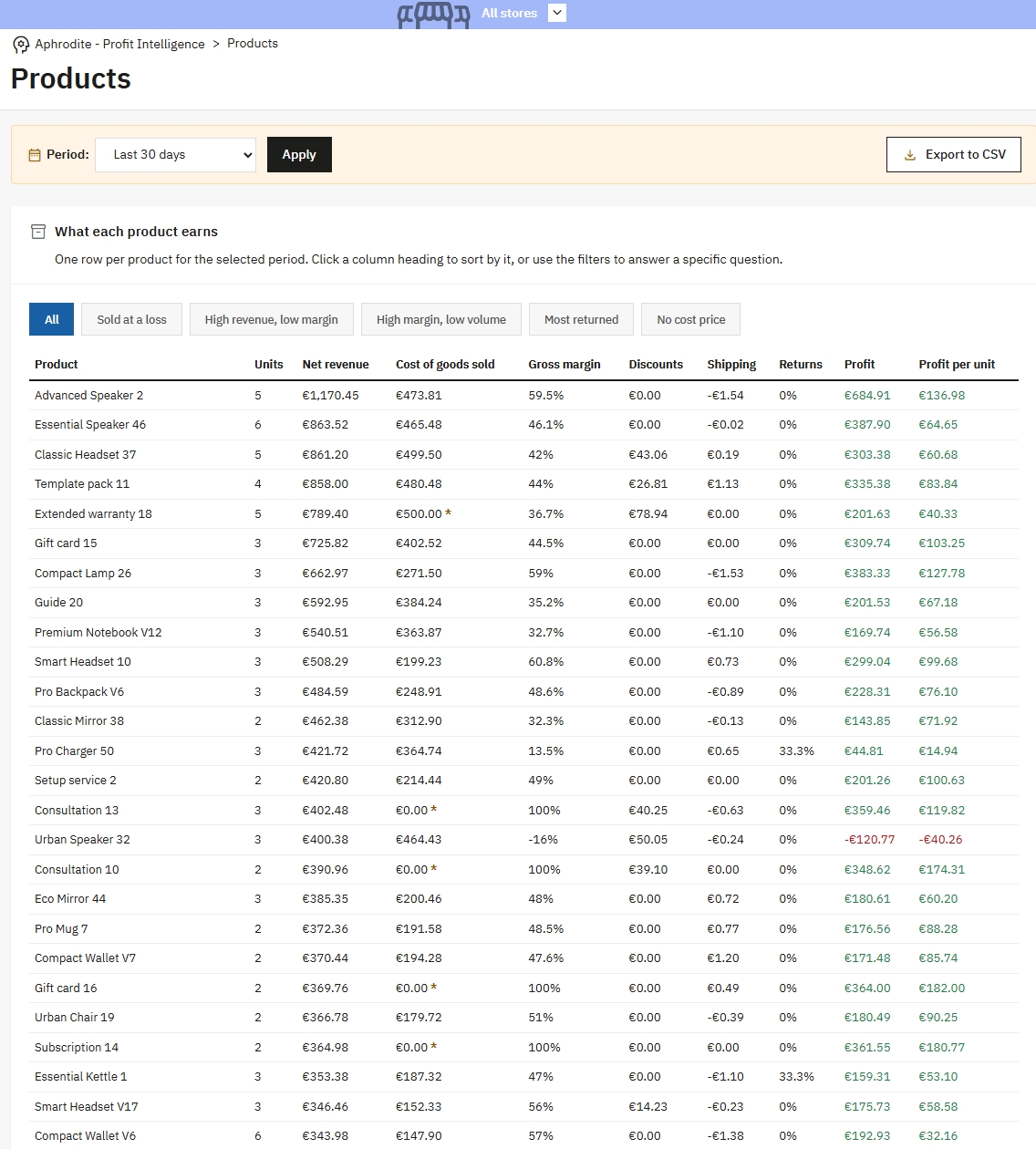
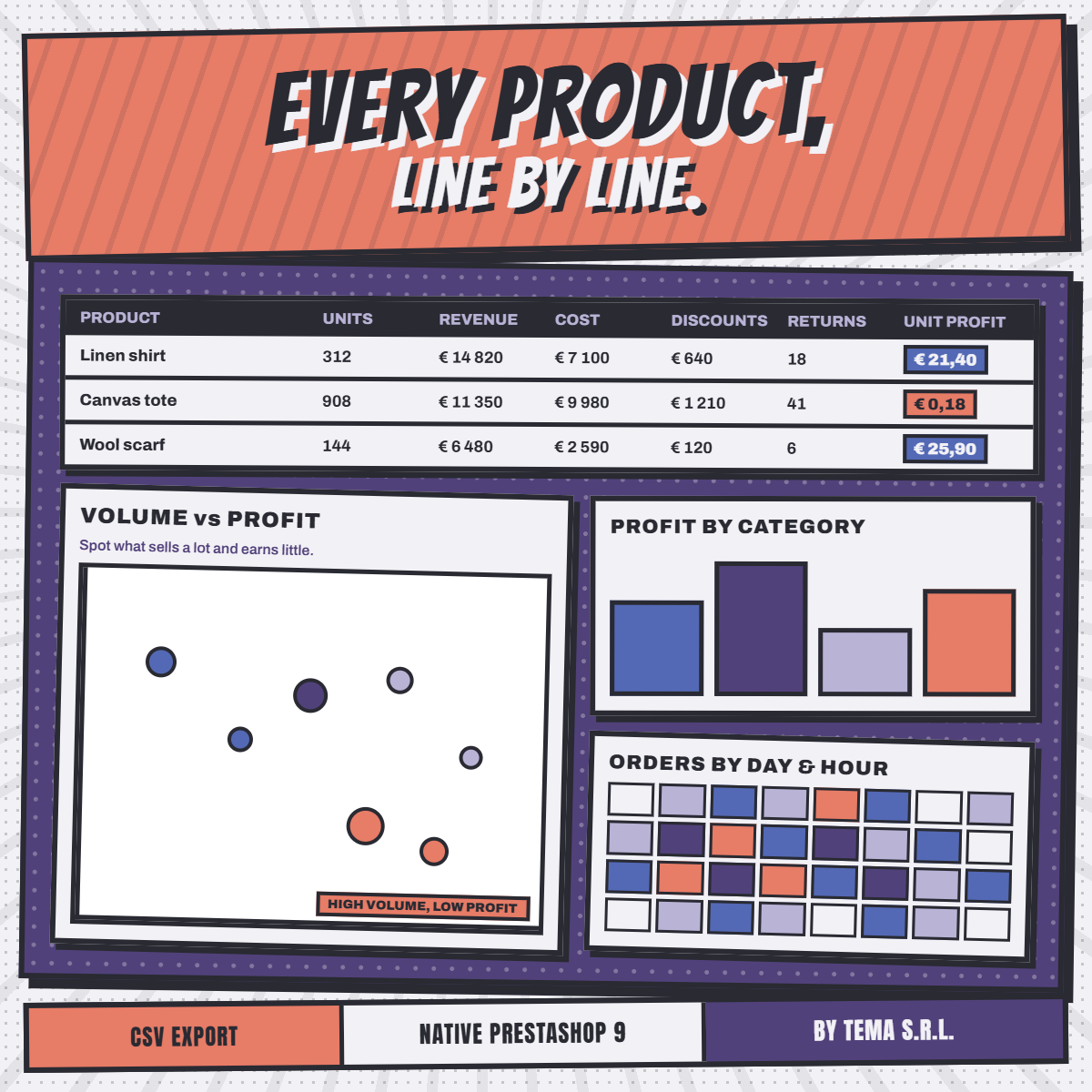
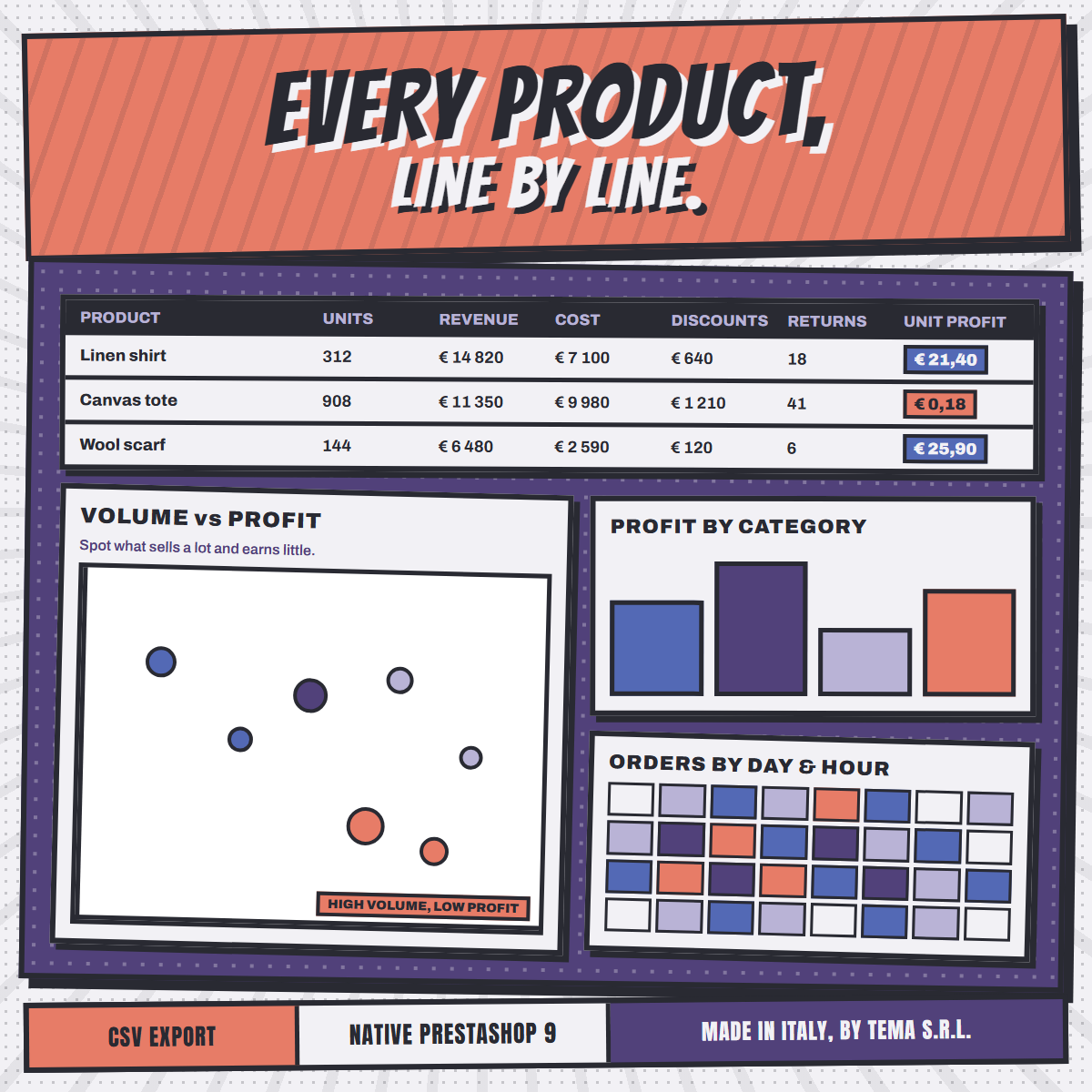
Units, revenue, cost, discounts, shipping, returns, profit and profit per unit. Sortable by any column, with one-click filters for the questions you actually ask.
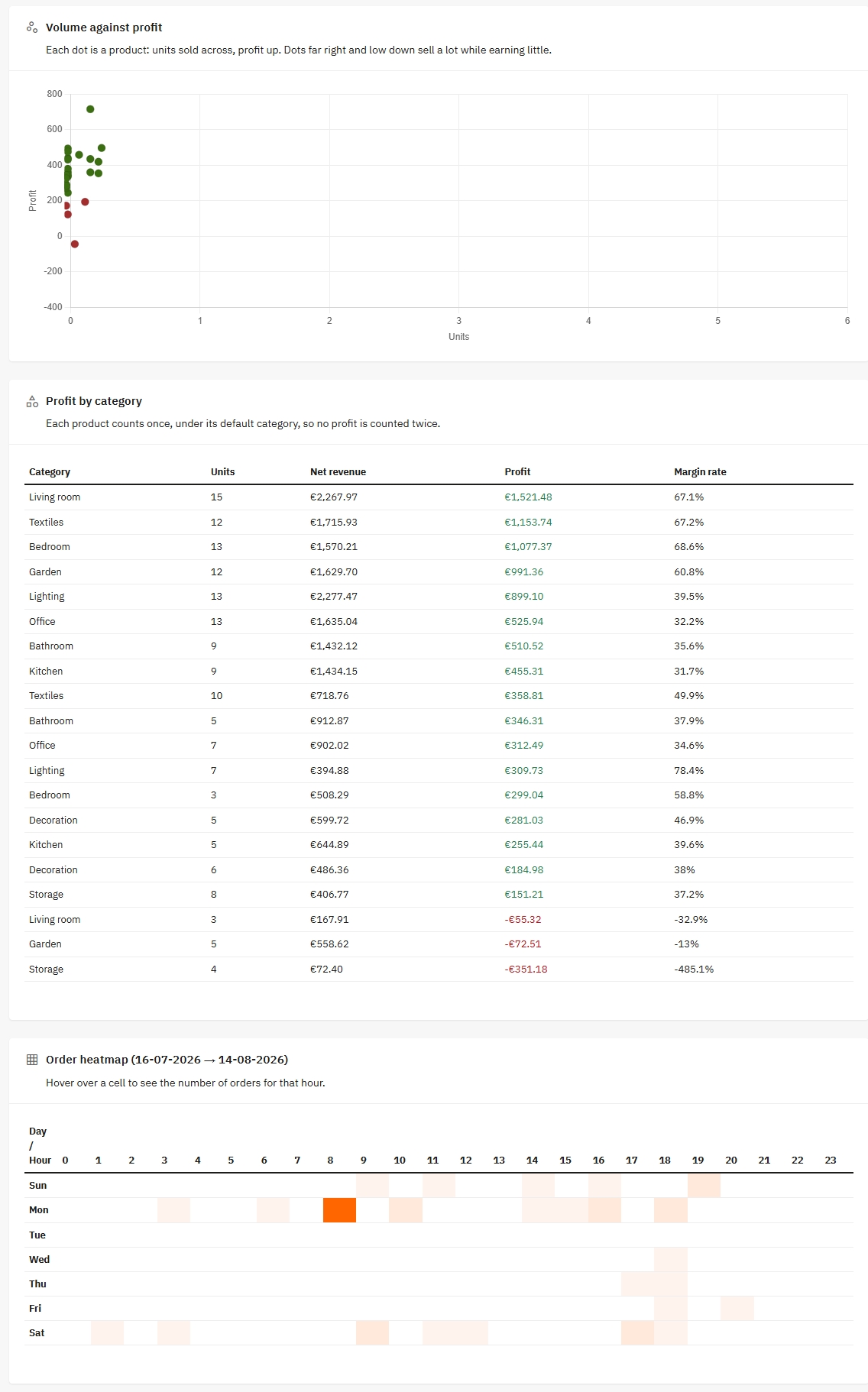
A scatter chart where each dot is a product, so the ones that sell a lot and earn little are impossible to miss.
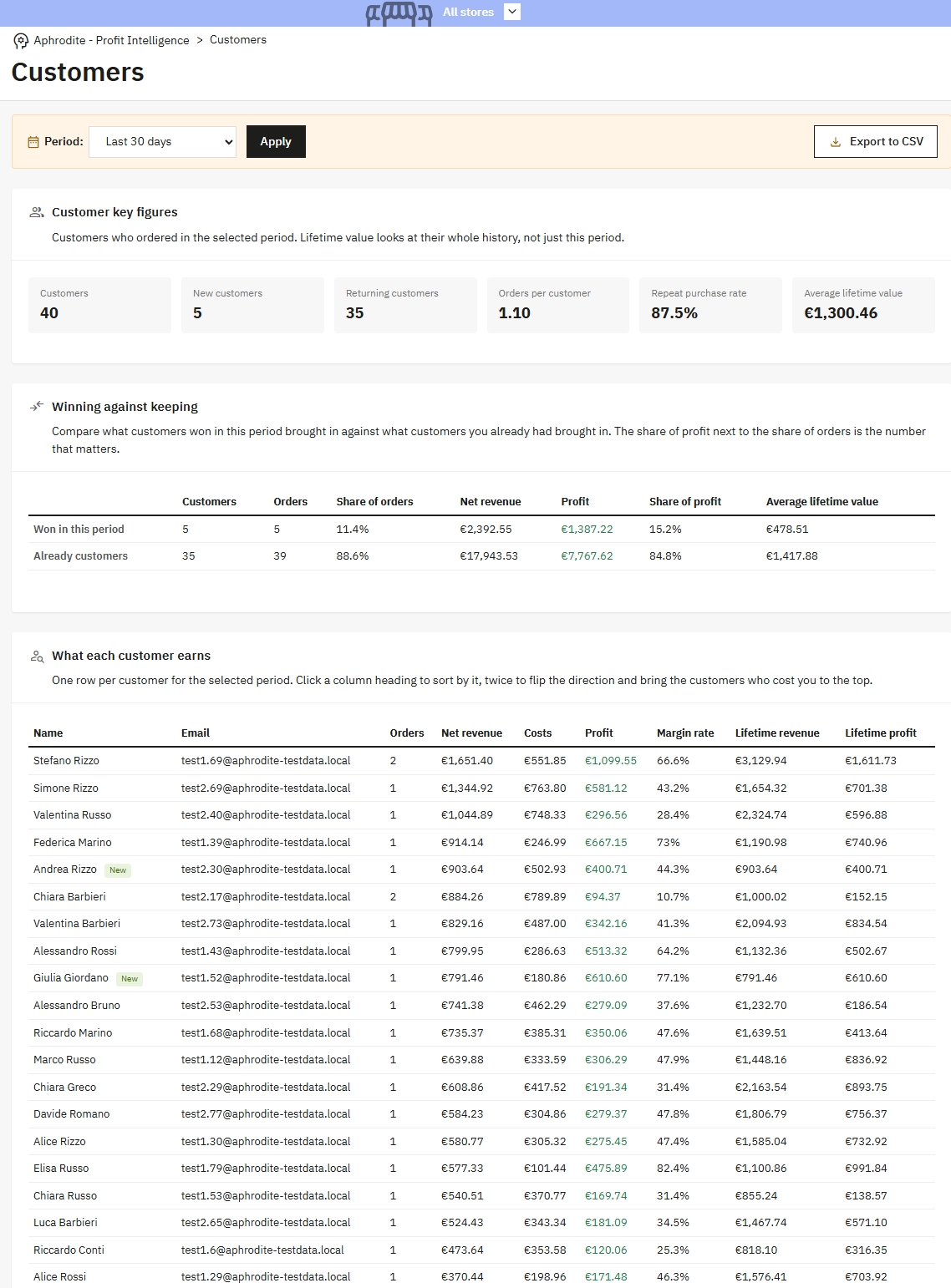
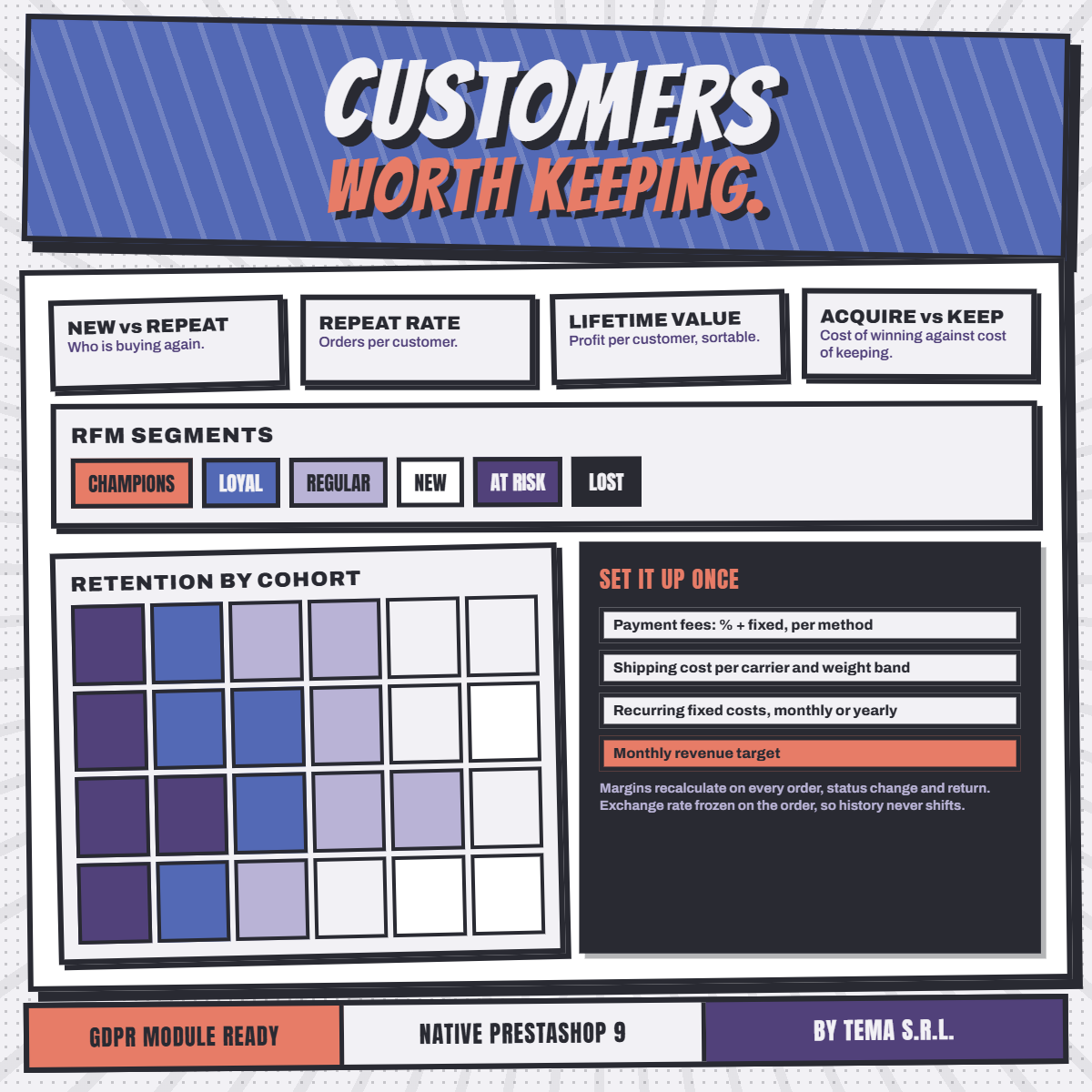
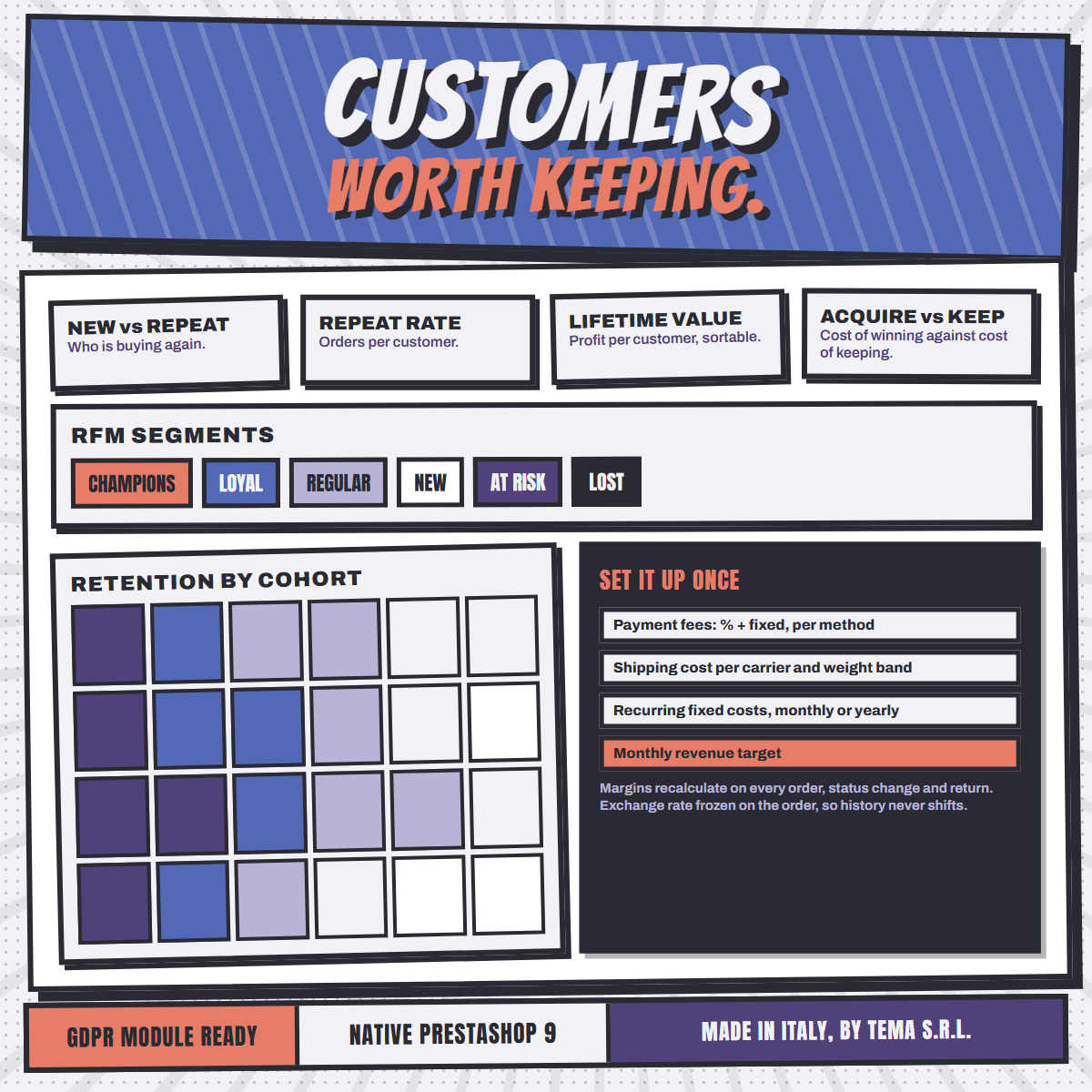
Lifetime revenue and lifetime profit next to the figures for the period, so a customer is judged on their whole history.
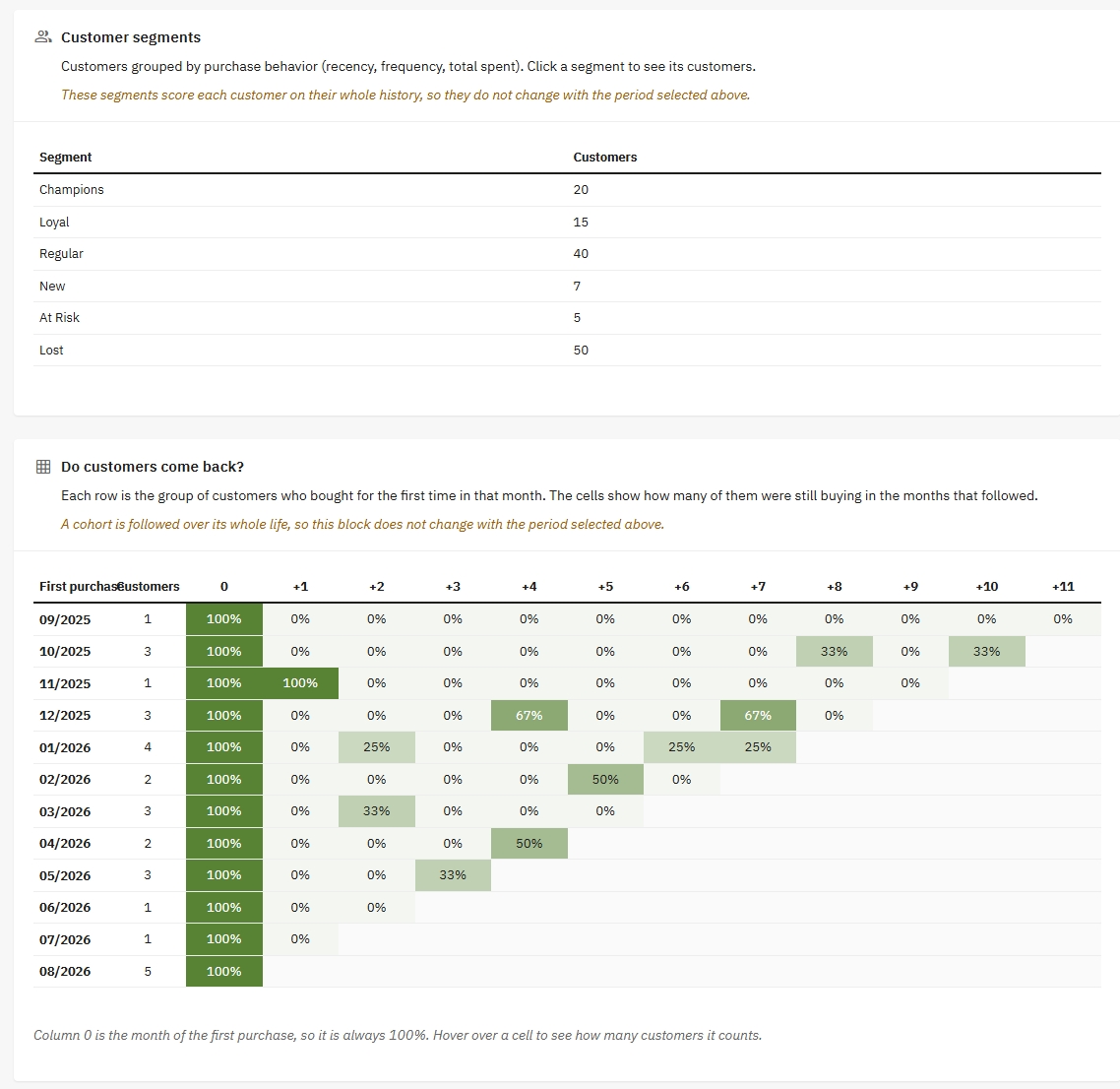
Champions, Loyal, Regular, New, At Risk and Lost, scored on each customer's whole history, plus a cohort grid showing whether customers come back.
Every panel exports what you are looking at, with no row limit, so the full picture always reaches your spreadsheet.
The difference between a number that looks right and a number that is right.
Shipping, payment fees and discounts are split across the lines in proportion to what each one brought in. A product's margin is its own, not an average of the order.
A refunded line takes its revenue back out and its cost back with it, so a return never leaves a phantom profit behind.
PrestaShop carries it inside the line price, but it is collected for a disposal consortium. Aphrodite takes it out, and out of the refund in proportion too.
Every amount is converted using the rate frozen on the order itself, not today's rate, so a shop selling in more than one currency gets totals that mean something.
An order placed before you filled in a cost price is costed at today's price and marked with a star, with an alert listing exactly which products are affected.
Where a figure cannot be known, the module says so instead of inventing one. No shipping cost configured for a carrier and weight means delivery is treated as breaking even.
Set the costs up once. Everything after that happens on its own.
Upload the module, enter your licence key. The four panels appear under their own menu entry.
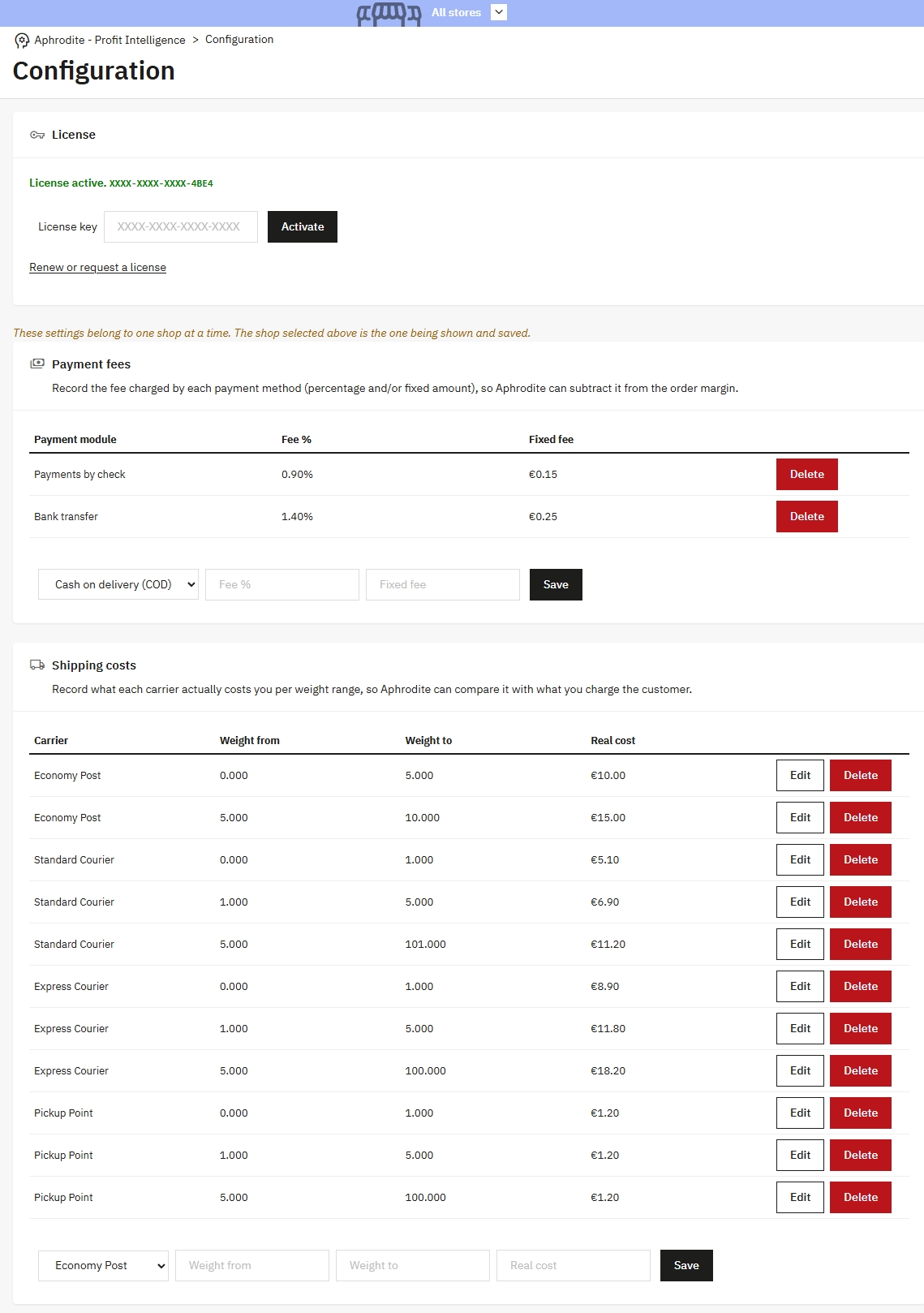
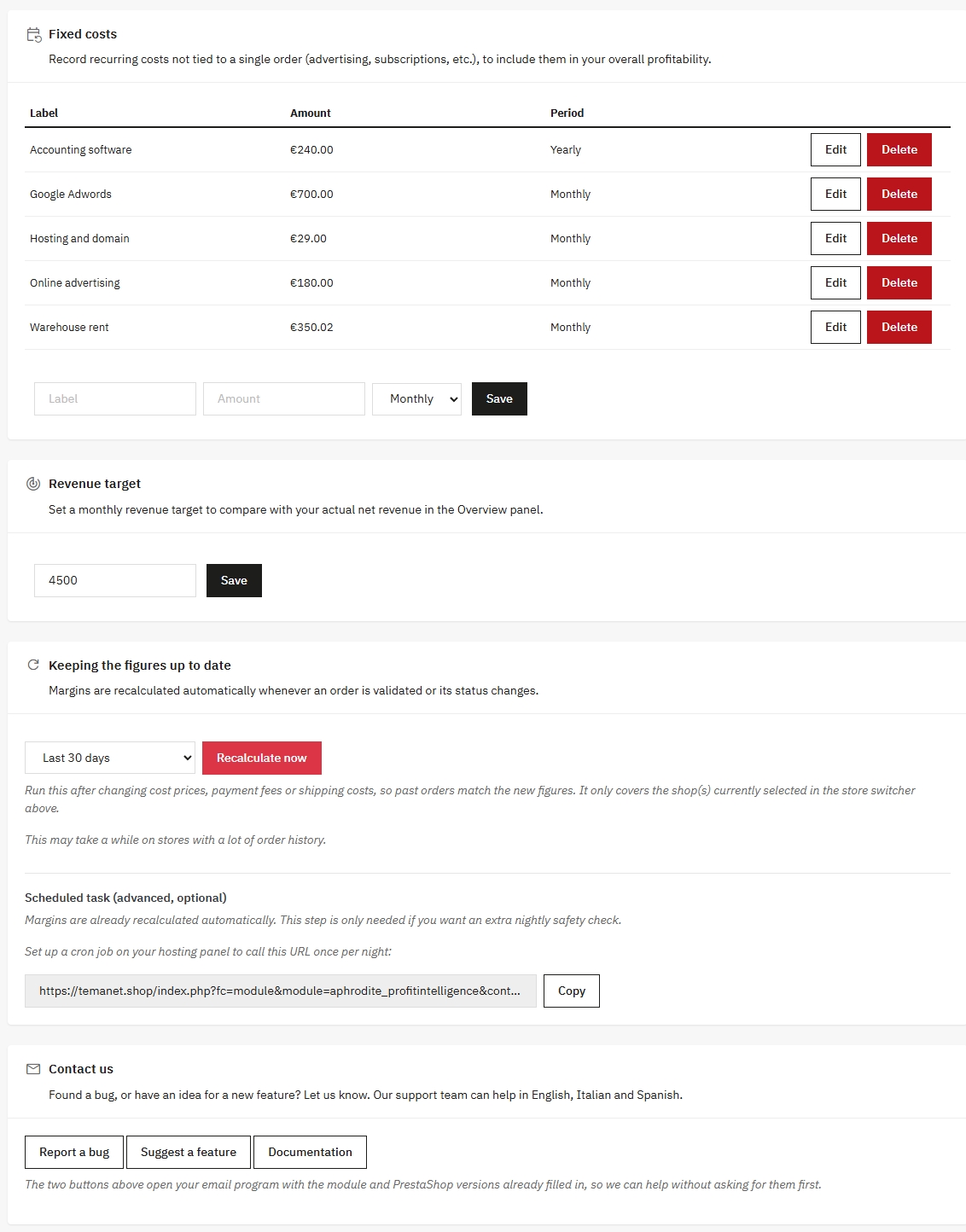
Cost prices on your products, the fee each payment method charges, what each carrier really costs you per weight range, your recurring fixed costs.
One button recalculates your past orders in batches, with a progress bar, so the figures start with a full history behind them.
From then on margins update on their own as orders come in. You open the panels and act on what Worth watching points at.
Three things, once: the cost price of your products, the fees your payment methods charge, and what each carrier really costs you. Fixed costs and a revenue target are optional but complete the picture.
A single button recalculates your whole history in batches, with a progress bar, so past orders get their margins too.
No. Everything is net of tax, which is how a merchant thinks about margin: VAT is collected for the state, not earned. The ecotax is excluded from revenue for the same reason.
Yes. Every amount is converted using the exchange rate frozen on the order itself, so historical figures stay true.
Yes. Costs are configured per shop, and one licence covers every shop of the installation.
No. Everything is calculated inside your own database and the charting library travels inside the module. The only outbound call is the licence check.
The only personal data it stores is each customer's RFM segment score. It plugs into PrestaShop's official GDPR module, so a data export includes that score and a deletion request erases it. The module has no front-office form and collects nothing from your visitors.
No. It reads core data and writes only into its own tables, all prefixed aphrodite_. The back office pages are built on the PrestaShop 9 Symfony routing, with no override of the core.
Seven: English, Italian, German, Spanish, French, Polish, Portuguese.
Write to tema@temanet.it. The module also has buttons that open your mail program with the module and PrestaShop versions already filled in.
Designed, developed and supported by TEMA S.r.l. Automazione in Legnano (Milan).
Since 1974, a real company with direct human support.